
Reference
User Manual
This manual explains how to install, bootstrap, verify, operate, update, and troubleshoot a RealNAS host on vanilla FreeBSD.
This manual assumes FreeBSD 15.x, root shell access, and either a configured RealNAS package repository or local .pkg artifacts. RealNAS is not a custom installer image. The operating system is FreeBSD; RealNAS is the middleware package, the WebUI package, and their runtime state.
Current development and smoke validation targets FreeBSD 15.1. The commands below use the package names and service names from the current tree: realnas-middleware, realnas-webui, realnasd, and realnas_webui.
1. Install and Bootstrap
Install the middleware and WebUI packages. From a configured package repository, use the package names directly. From local artifacts, pass the artifact paths to pkg install.
# repository install
pkg install realnas-middleware realnas-webui

# local artifact install, if you are testing packages by file
pkg install /tmp/realnas-middleware.pkg /tmp/realnas-webui.pkg
Package install is intentionally file-only. Mutable first-boot state is created by realnas-bootstrap, which is safe to rerun after package upgrades or interrupted first-boot work.
/usr/local/sbin/realnas-bootstrap
Bootstrap performs the runtime setup that should not be owned by a package file manifest: it installs the bundled RealNAS wheels, installs the pinned offline wheelhouse dependencies, verifies native TDB bindings, creates the SQLite schema under /var/db/realnas, generates /var/db/realnas/pwenc_secret with restrictive permissions, creates first-boot WebUI TLS material when needed, seeds factory rows, starts realnasd, imports existing FreeBSD users and groups into middleware state with user.sync_builtin, creates the system dataset runtime tree, regenerates /etc/hosts, and enables reporting daemons.
Bootstrap logs to /var/log/realnas/install.log. If it fails, read that log before retrying.
tail -100 /var/log/realnas/install.log
service realnasd status
Enable and start the browser-facing WebUI service after bootstrap completes.
sysrc realnas_webui_enable=YES
service realnas_webui start
Open https://<host>:4200/. The first certificate is self-signed, so the browser will warn until you replace it or put RealNAS behind a trusted reverse proxy.
Verify a New Install
A healthy fresh install has the middleware daemon running, the WebUI proxy listening, a local API backend on loopback, and both HTTPS and API docs reachable through the WebUI service.
service realnasd status
service realnas_webui status
sockstat -4 -l | grep -E 'realnas|python|4200|6000'
curl -k https://127.0.0.1:4200/
curl -k https://127.0.0.1:4200/api/docs/
midclt call system.info
If midclt cannot connect, check /var/run/middlewared.sock, /var/log/realnas/middlewared.log, and whether realnasd completed plugin startup.
2. First Login and Accounts
RealNAS release packages do not install a production default password. Bootstrap preserves the FreeBSD account state it finds and imports it into middleware state. Smoke-test credentials such as root / realnas belong only to disposable test VMs and must not be used as production defaults.
If the system has no usable root password, use the unauthenticated first-login path in the WebUI to set it once. If no local administrator exists, the setup flow can create a wheel/sudo administrator. Both paths require a password of at least 12 characters. Root SSH and password SSH remain normal FreeBSD SSH policy; RealNAS does not enable them for you.
When you create local users for imported data, preserve numeric UIDs and GIDs. File ownership on ZFS datasets is numeric, not name-based.
# inspect local accounts
pw usershow -a
pw groupshow -a

# create matching IDs from the shell when needed
pw groupadd staff -g 1001
pw useradd alice -u 1001 -g staff -d /home/alice -m -s /bin/sh

# import FreeBSD account state into middleware after shell-side changes
midclt call user.sync_builtin
Add a User
From the sidebar choose Accounts → Users and click ADD. The form opens as a side drawer.
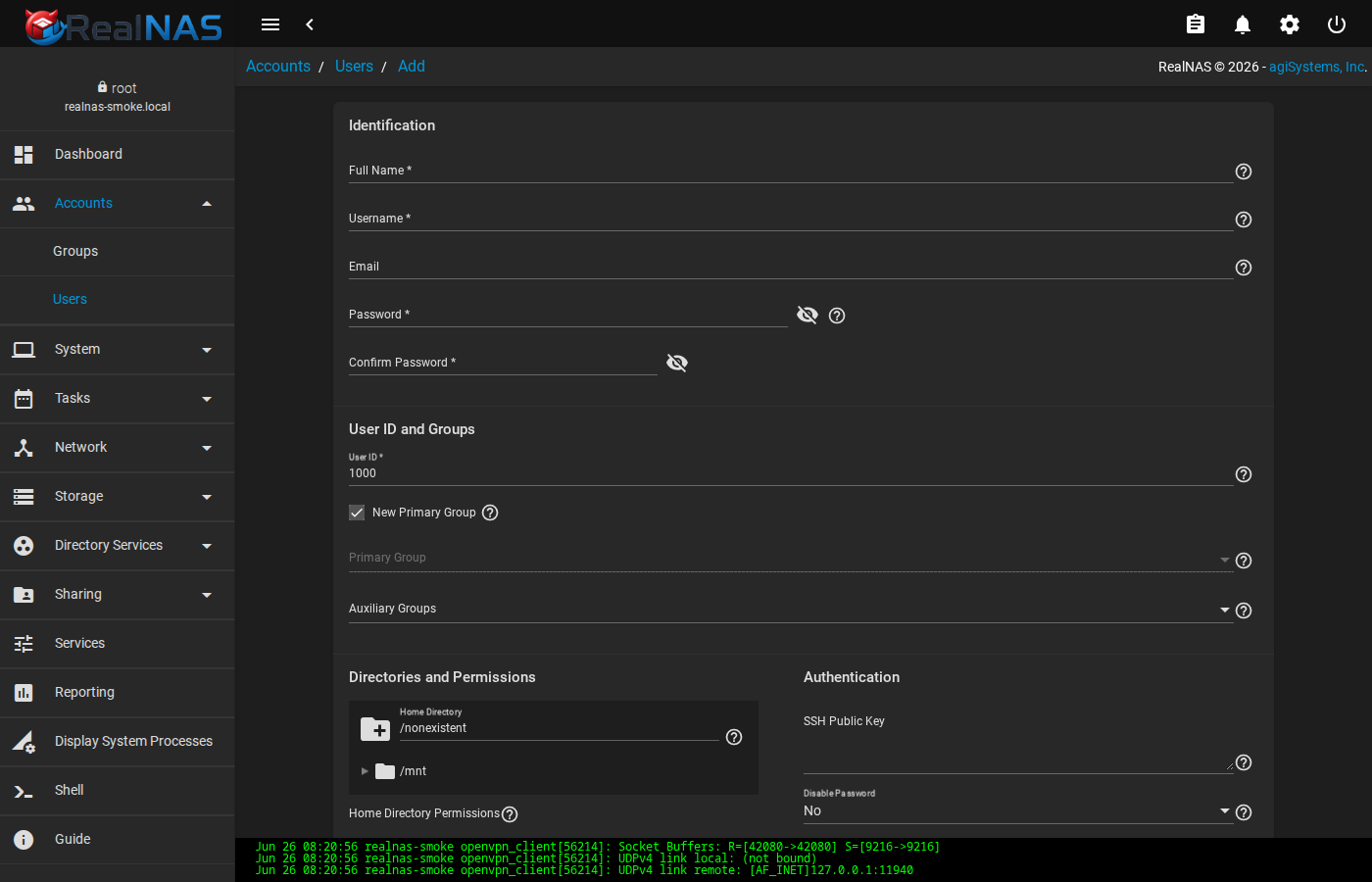
Required fields are Full Name, Username, and Password (≥ 12 characters). A new Primary Group matching the username is created by default; uncheck that box and pick an existing group when joining the user to a shared dataset group such as staff. UID defaults to the next free value above 1000; override it only when matching ownership on data imported from another system. Home Directory defaults to /nonexistent; if the account needs SSH access or a real home, choose a path on a dataset you have already created.
Leave SSH Password Enabled off unless this user logs in over SSH. Sudo and Sudo Without Password grant administrative escalation; treat them with care.
Edit a User and Change Passwords
Open the row menu and choose Edit to change shell, groups, or quotas. Use Change Password on the row menu, or use the topbar gear menu's Change Password entry to change the password of the account you are signed in as.
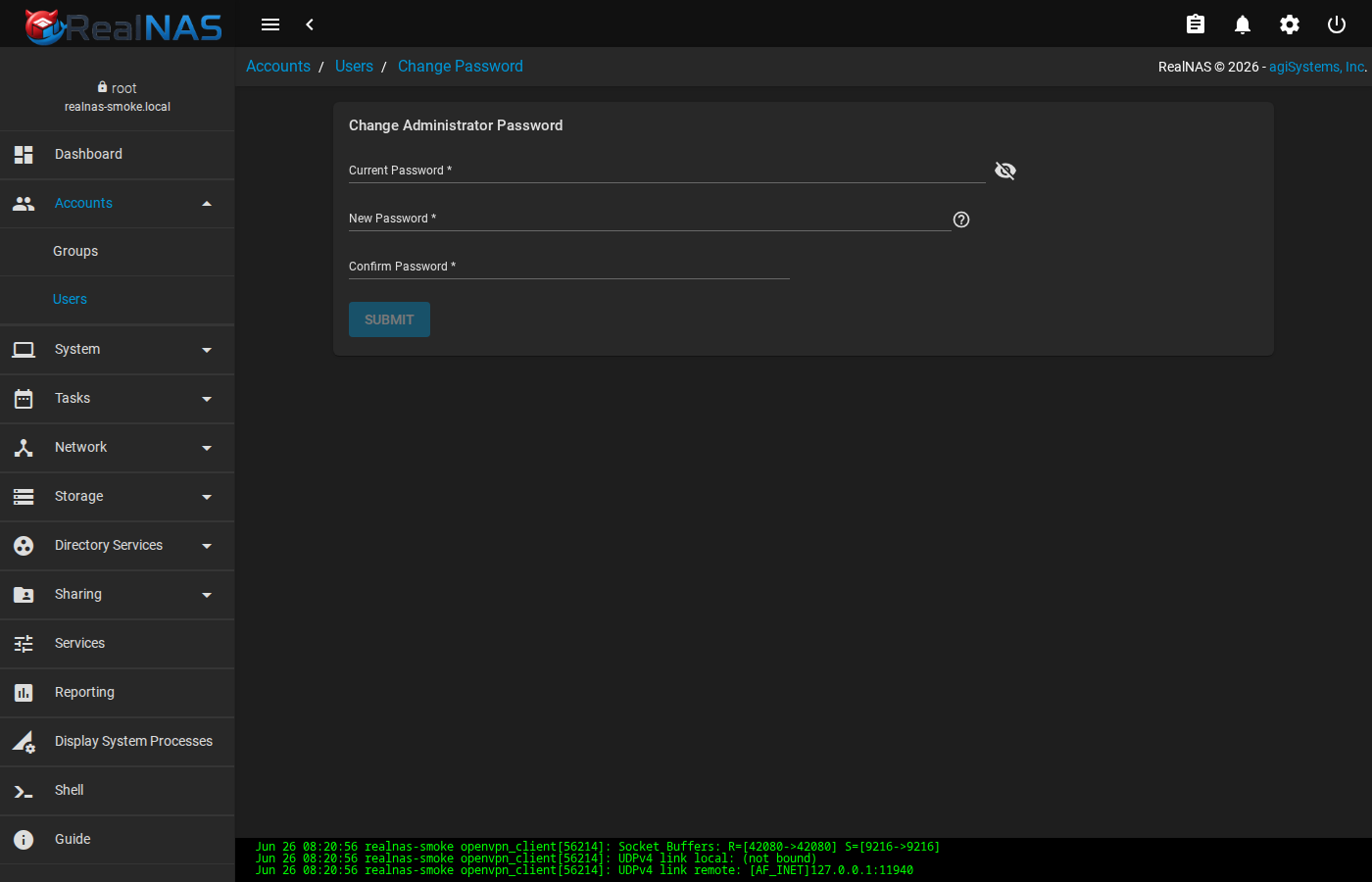
Editing the root user is rare in normal operation. If you do, click CANCEL rather than SAVE when in doubt. An inadvertent shell change on root can lock the WebUI out of administrative tasks until a console fix.
Groups
Accounts → Groups lists every group, system and otherwise. ADD creates a new group with a chosen GID; the form also offers a Sudo flag that grants administrative escalation to every member.
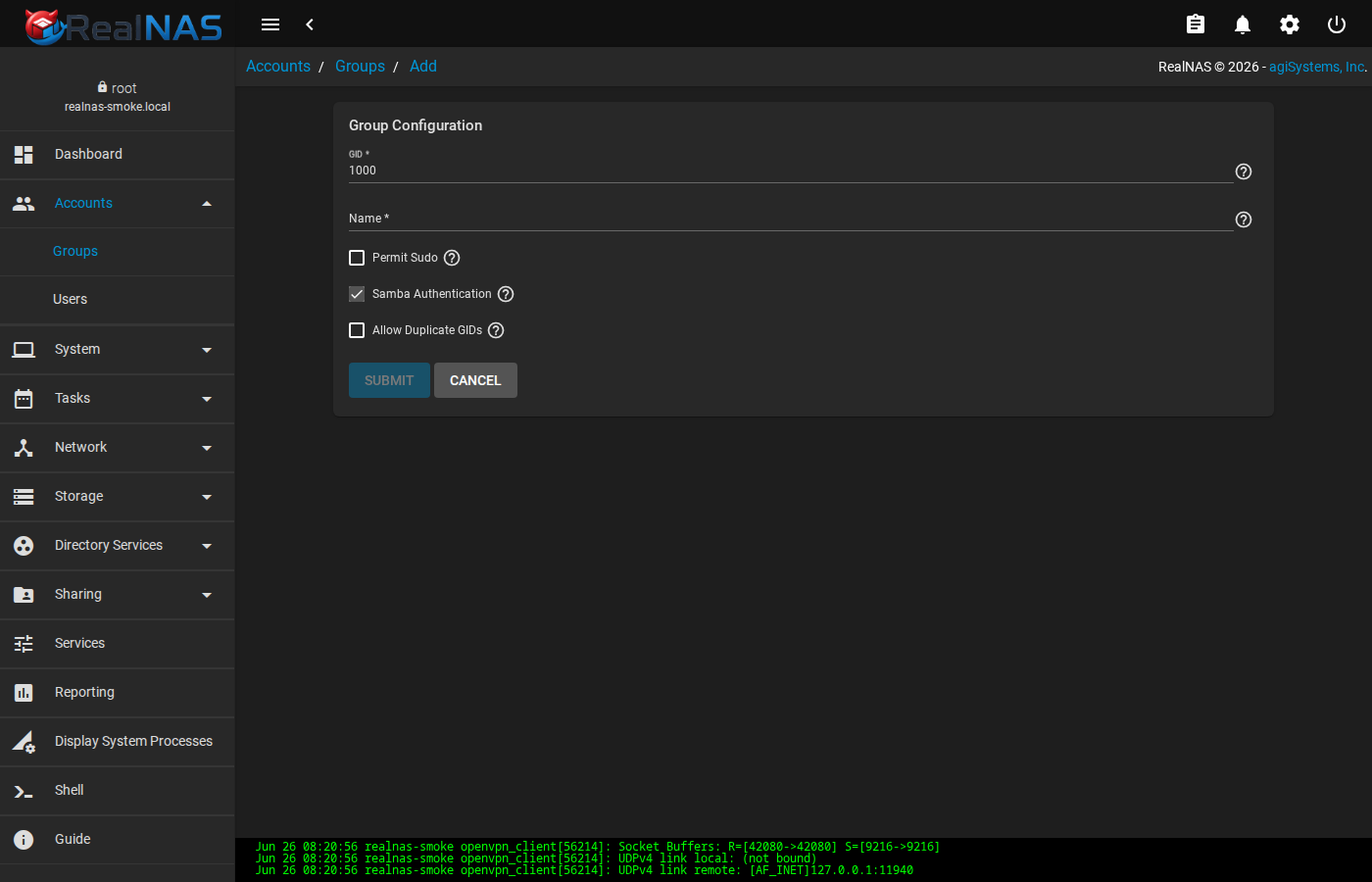
Open the row menu on an existing group to Edit the name or Members to manage the user list. The Members page lists every account on the system; click an account to toggle membership and SAVE when finished.
Two-Factor Authentication
System → 2FA enables time-based one-time-password (TOTP) auth for the WebUI and optionally for SSH. After enabling, scan the displayed QR code into an authenticator app on a phone or password manager; the WebUI login form then asks for a 6-digit code after the password.
Enabling 2FA for SSH adds a TOTP prompt in addition to the existing key or password gate. Test it from a second terminal before signing out, and keep a backup of the generated secret in a safe place. Losing both the secret and an active session means a console rescue.
SSH Keypairs and SSH Connections
RealNAS stores SSH keypairs and remote SSH connection descriptors in the credential store under System → SSH Keypairs and System → SSH Connections. These are used internally by Replication Tasks, Cloud Sync Tasks, and Rsync Tasks that need to authenticate to a remote SSH endpoint.
Generate a keypair from the SSH Keypairs page (click ADD, give it a name, then Generate). The public half can be copied to the remote machine's ~/.ssh/authorized_keys; the private half stays in the RealNAS credential store. From SSH Connections, link a keypair to a remote host so replication tasks can reference the connection by name.
3. Using the WebUI Dashboard
The Angular WebUI is the main administrative interface for RealNAS. The shell remains supported and useful for verification, but routine tasks such as reviewing pool health, creating users, creating shares, starting services, reading alerts, importing pools, and checking reports are designed to be done from the WebUI.
Login and First Landing Page
After realnas_webui starts, open https://<host>:4200/. Accept the temporary self-signed certificate only long enough to finish first setup or certificate replacement. Log in with the local administrator account you configured during first login or with an existing FreeBSD account that RealNAS has imported and authorized for administration.
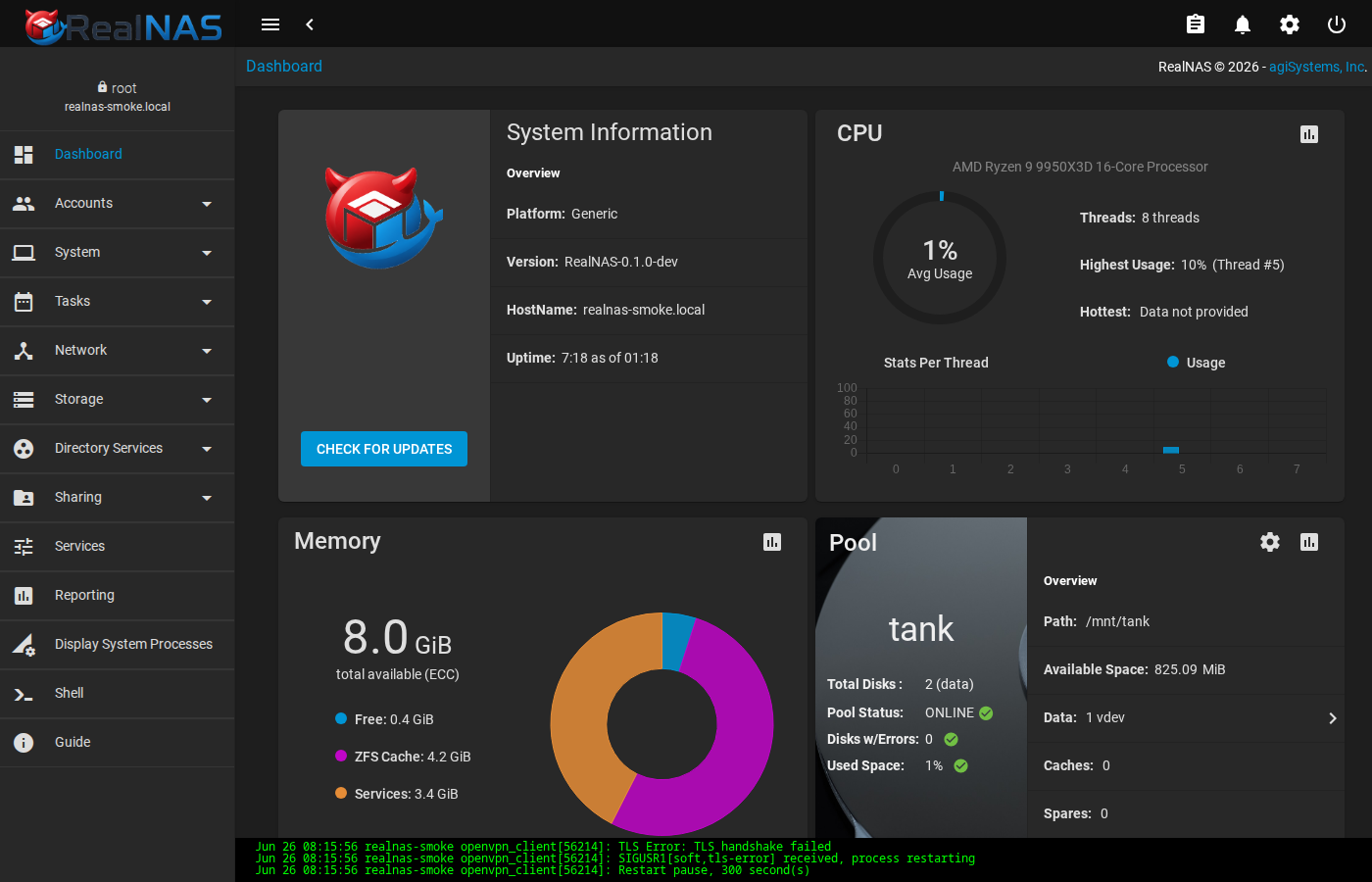
A successful login lands on the dashboard. If the page stays on a connecting splash, the WebUI is loaded but cannot reach middleware through its backend. Check service realnasd status, service realnas_webui status, /var/log/realnas/webui.log, and /var/log/realnas/middlewared.log. If the login form rejects known-good credentials, verify that the user exists in FreeBSD, run midclt call user.sync_builtin, and check whether the account is allowed to administer the system.
Dashboard Cards
The dashboard is a quick health view, not the only source of truth. Use it to spot obvious problems, then drill into the owning page or the shell for details.
- System Information
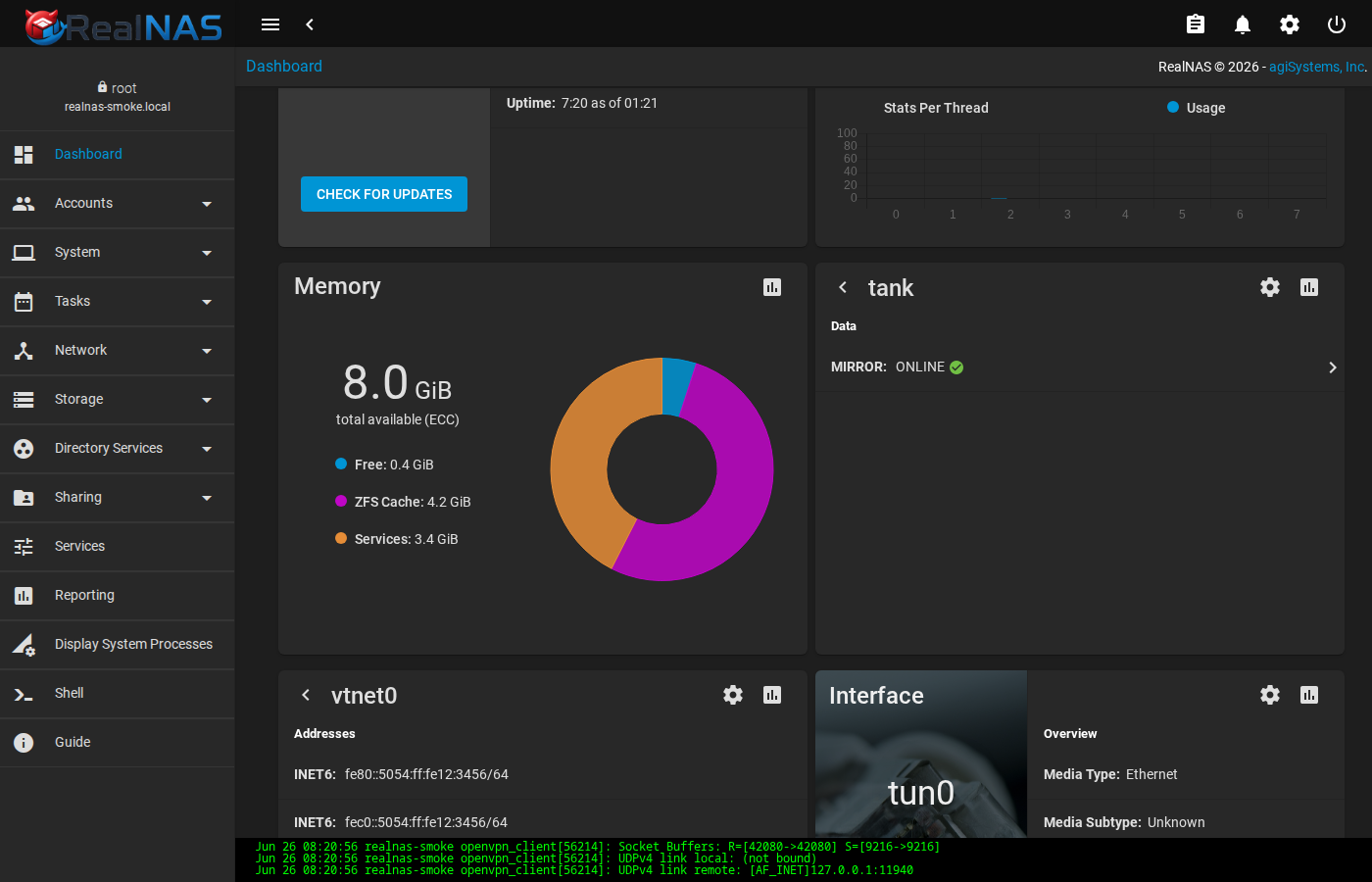
- Shows platform, RealNAS version, hostname, and uptime. Use it after upgrades to confirm the running package version and host identity. The FLIP button in the corner toggles the widget to a configuration side; the Update button routes to System → Update.
- CPU and Memory
- Shows current reporting data when
rrdcached,collectd, and the system dataset runtime tree are working. Empty or loading cards usually mean reporting services or system dataset setup need attention. The chart-icon button on each card routes to the matching graph under Reports. - Pool
- Summarizes pool status, used space, disk counts, errors, and pool actions. A green pool card does not replace
zpool status -v, but it is the fastest WebUI signal that a pool is online. Click Pool Status to drill into the per-vdev tree. - Interface (NIC)
- Per-NIC card showing link state, media type, current In/Out rate, configured IP addresses, and any VLAN children. Values update over the WebSocket realtime stats channel; the Configure button routes to the matching Network → Interfaces edit form.
- Alerts and Jobs
- The top toolbar shows alert and job/clipboard entry points. Use these after long-running work such as pool import, scrub, replication, update, or dataset unlock.
Widget Carousels and Drill-Down
The NIC and Pool widgets are multi-page carousels. A chevron at the right edge of a clickable row advances to the next slide; the left chevron in the widget header returns.
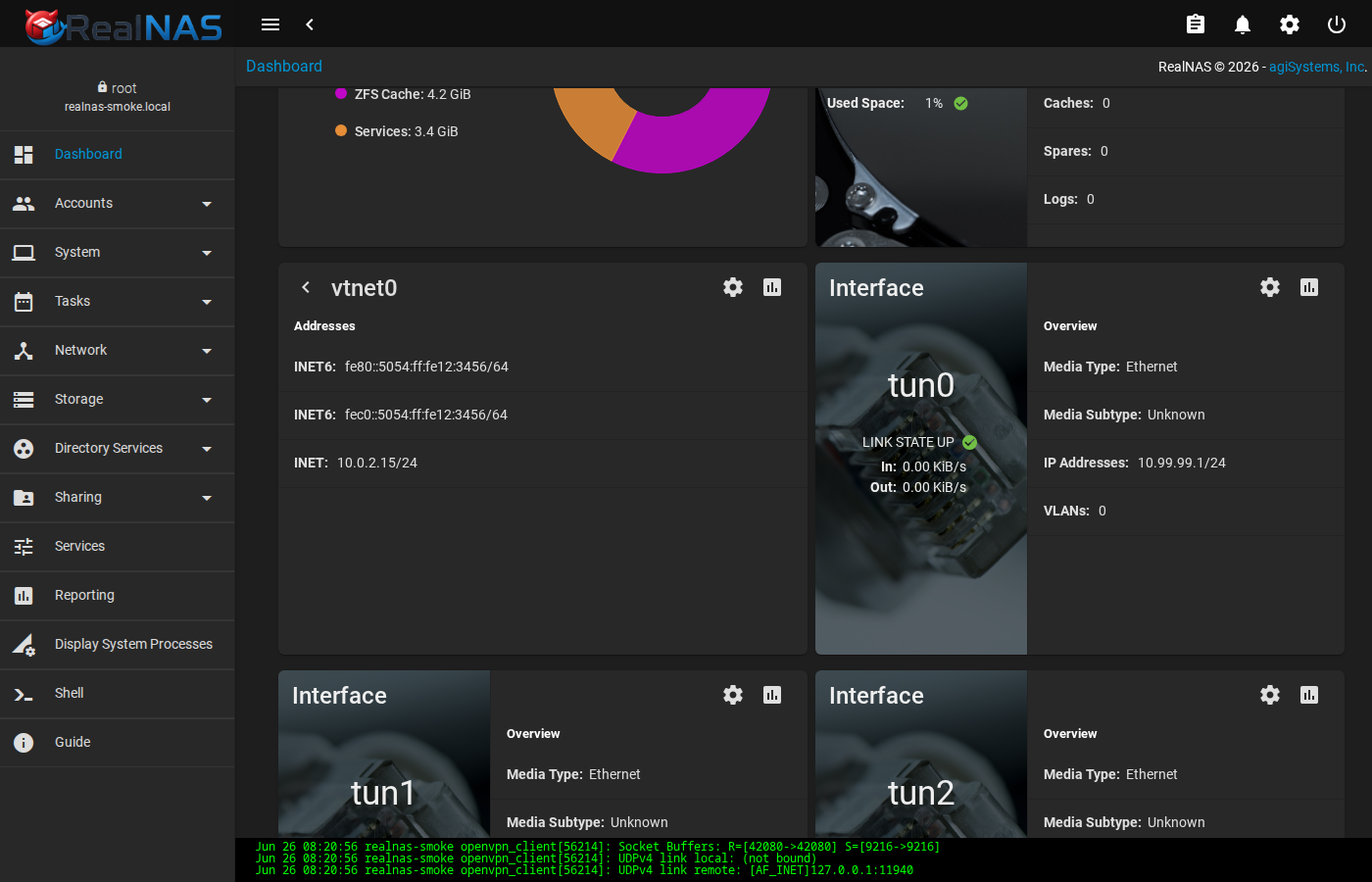
The Pool widget supports a three-level drill: Overview → Data vdevs → Disks → per-disk SMART detail. The deepest slide loads SMART data on demand, so the first open of a fresh widget has a brief lag.
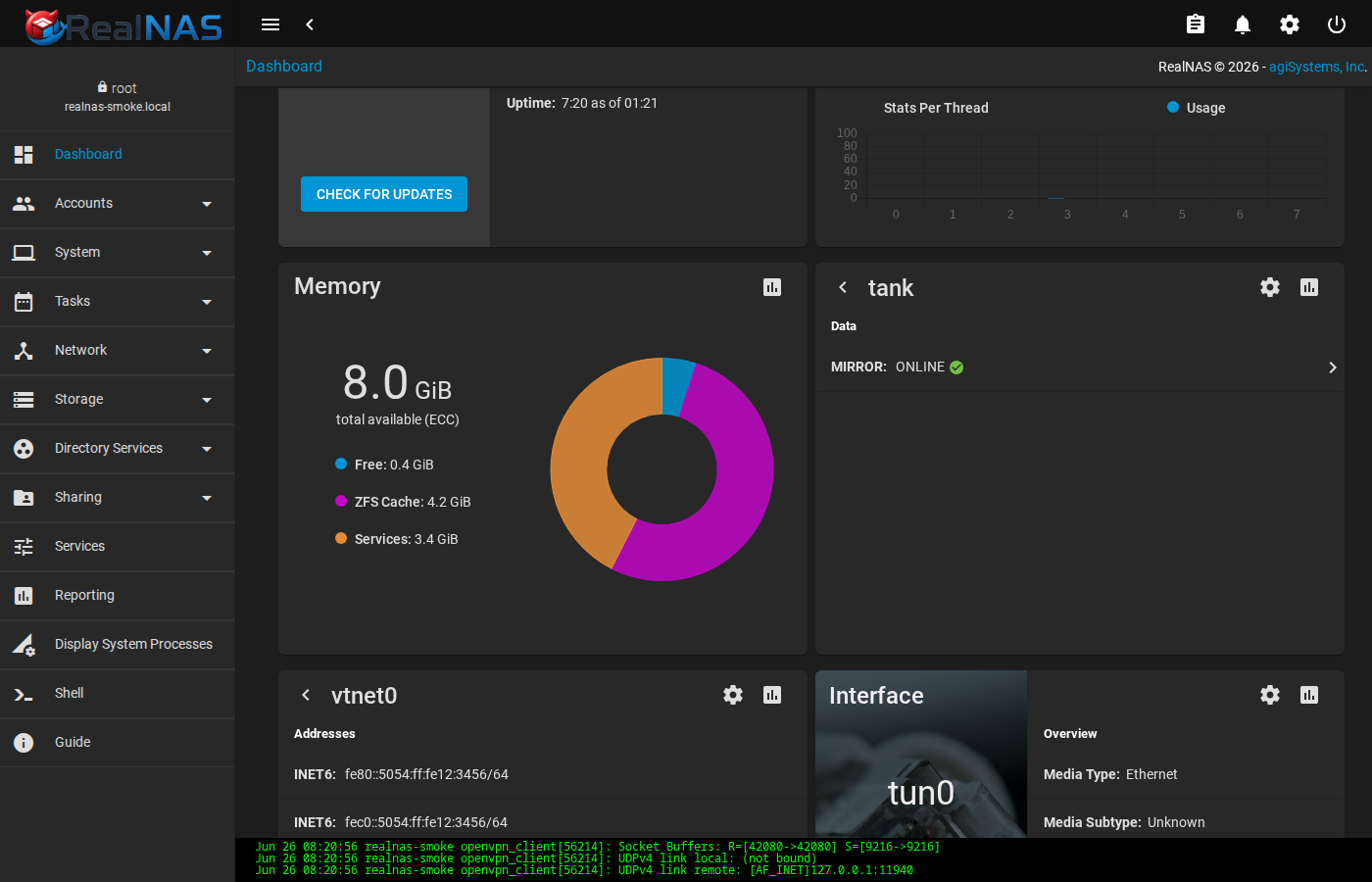
The System Information widget exposes a hidden configuration side via the FLIP button. Use it to switch between active and passive controller views on HA systems.
Topbar: Alerts, Jobs, Settings, Power
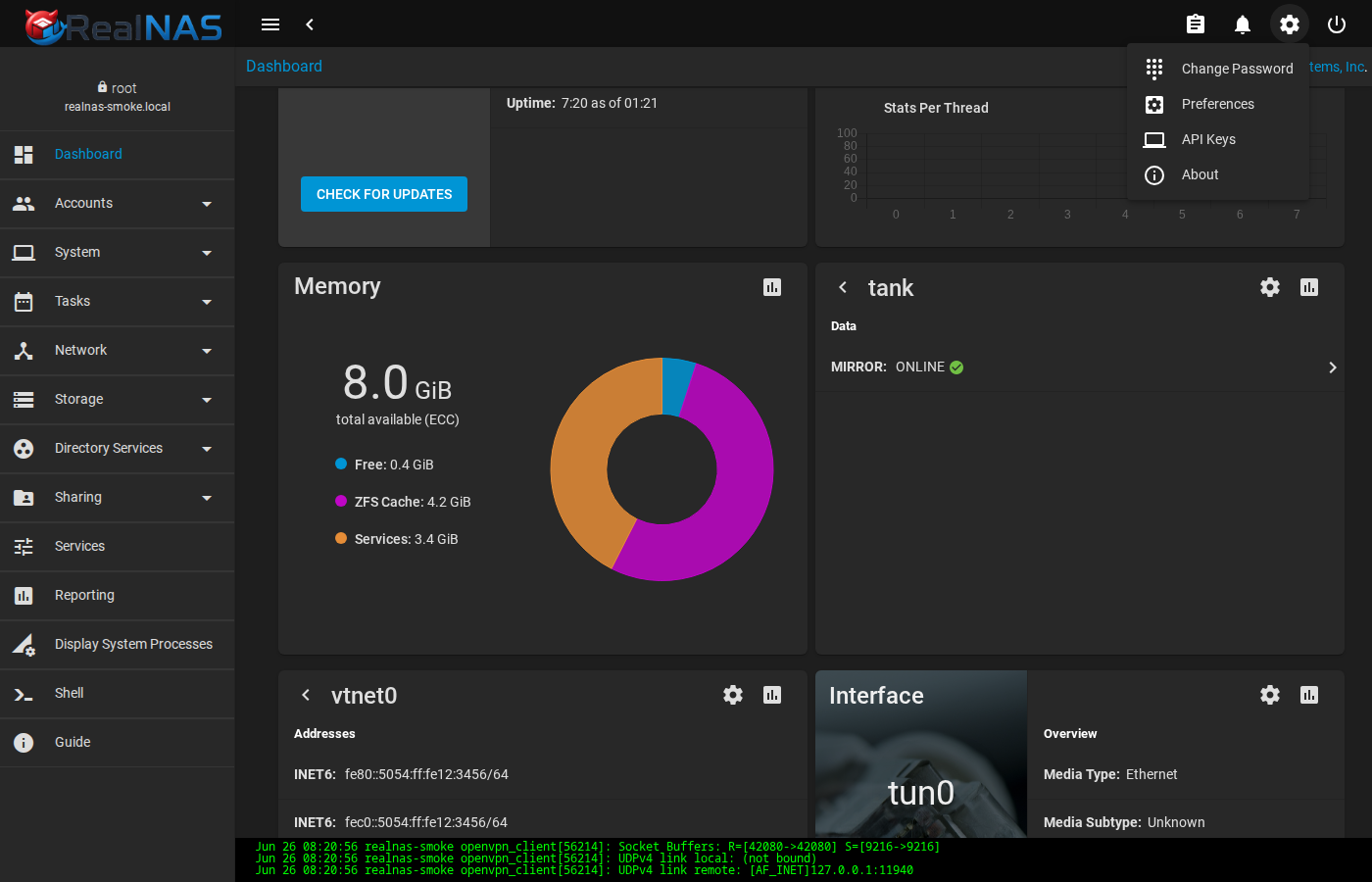
The top toolbar carries six classes of control. From left: sidenav toggle, sidenav collapse, status indicators (update, network, resilver, HA, directory services, each of which only renders when its condition is active), task manager (running jobs), notifications bell (alerts), settings (gear) menu, and power menu.
The notifications bell shows a red badge with the count of non-INFO alerts that haven't been dismissed. Click it to open the side panel; from there you can read each alert and dismiss individually, or use Dismiss All Alerts. Dismissed alerts are not gone, they are hidden from the badge. Use Re-Open All Alerts on the same panel to restore them.
The settings (gear) menu links to Change Password, Preferences (/ui-preferences), API Keys (/apikeys), and the About dialog.
The power menu (the rightmost icon) opens Log Out, Restart, and Shut Down. Each destructive item opens a confirmation dialog before triggering the action.
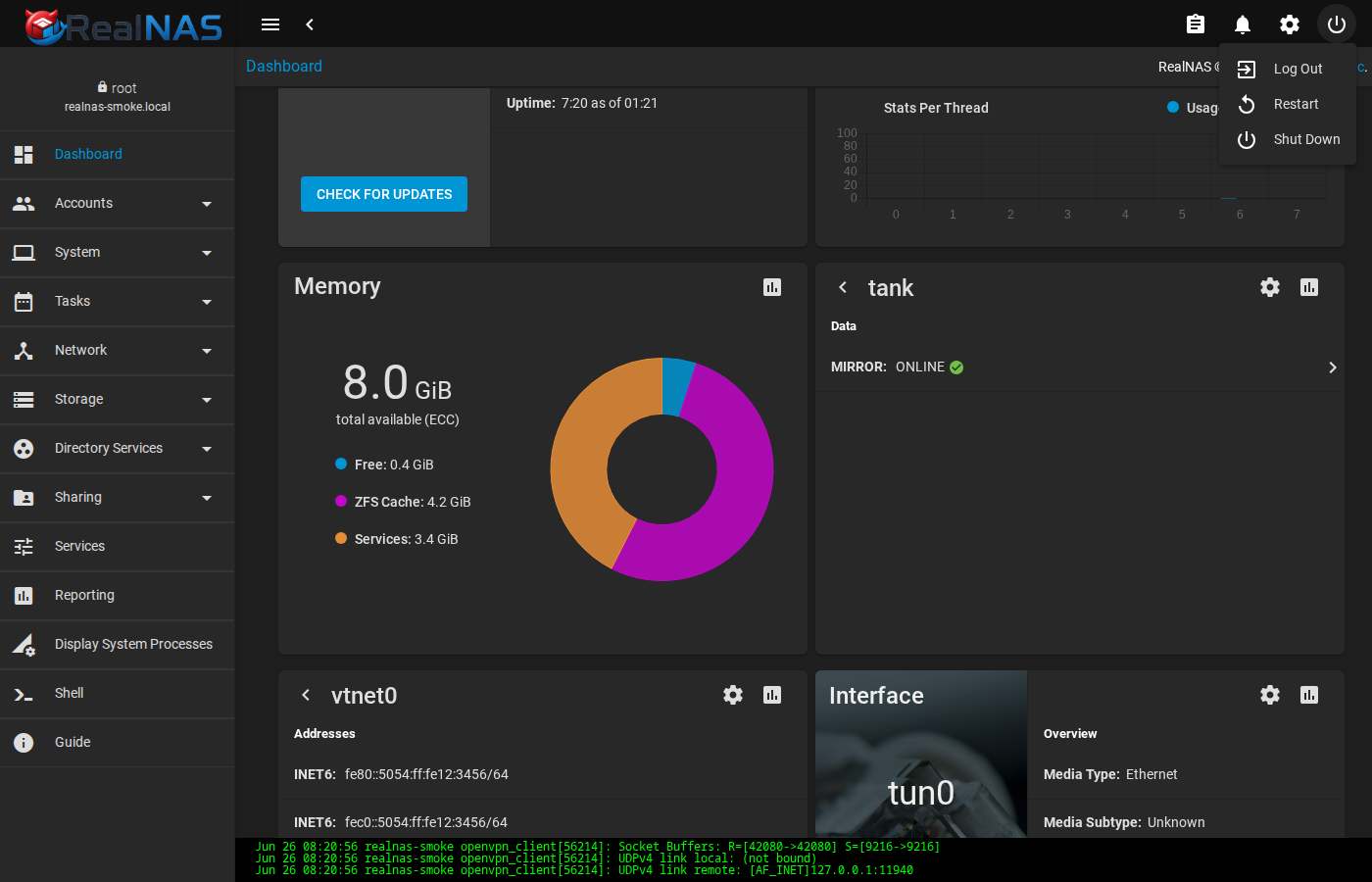
/others/reboot and similar routes is dangerous.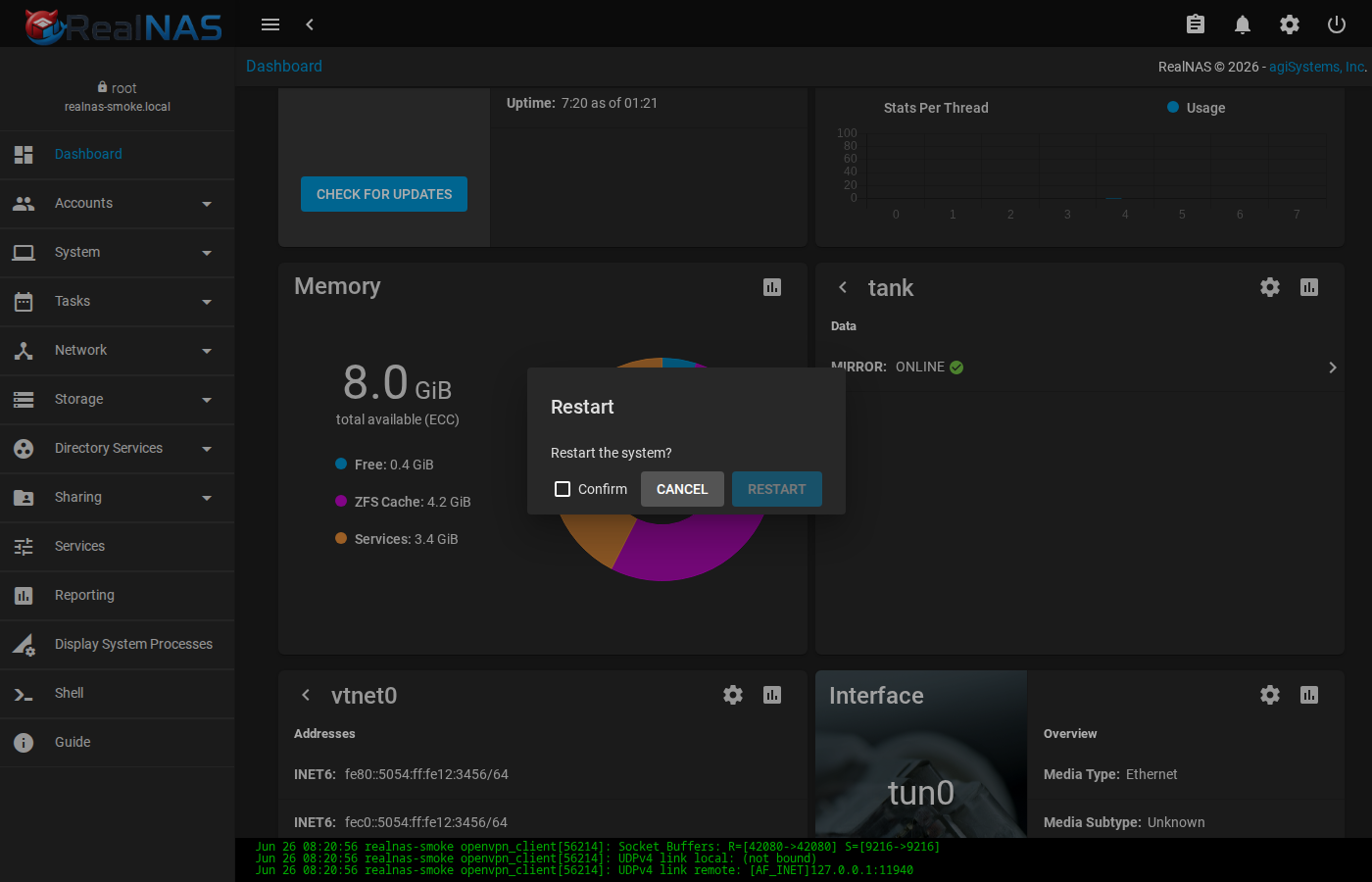
Navigation Model
The left sidebar is the primary navigation. Sections expand into pages. In the current UI, the default sidebar includes Dashboard, Accounts, System, Tasks, Network, Storage, Directory Services, Sharing, Services, Plugins, Jails, Reporting, Virtual Machines, Display System Processes, and Shell. Not every inherited entry is a default RealNAS promise: plugins, jails, virtual machines, failover, KMIP, VMware integration, and some hardware-health pages are deferred or optional unless their package tranche is installed.
List pages generally follow the same pattern: an Add button in the upper-right creates a new object, row action menus open per-item operations, sortable column headers change ordering, and breadcrumbs at the top show where you are. Wizard pages use Next, Back, and Cancel; do not leave a destructive wizard half-finished and assume no state changed until you have checked the job list.
Storage Pages
Storage → Pools is the starting point for pool administration. A pool card or table row shows status, used/free space, dataset rows, compression, readonly state, dedup state, comments, and action menus. Use the pool page to create pools, import existing pools, expand datasets, start scrubs, review snapshots, and move into dataset-level actions.
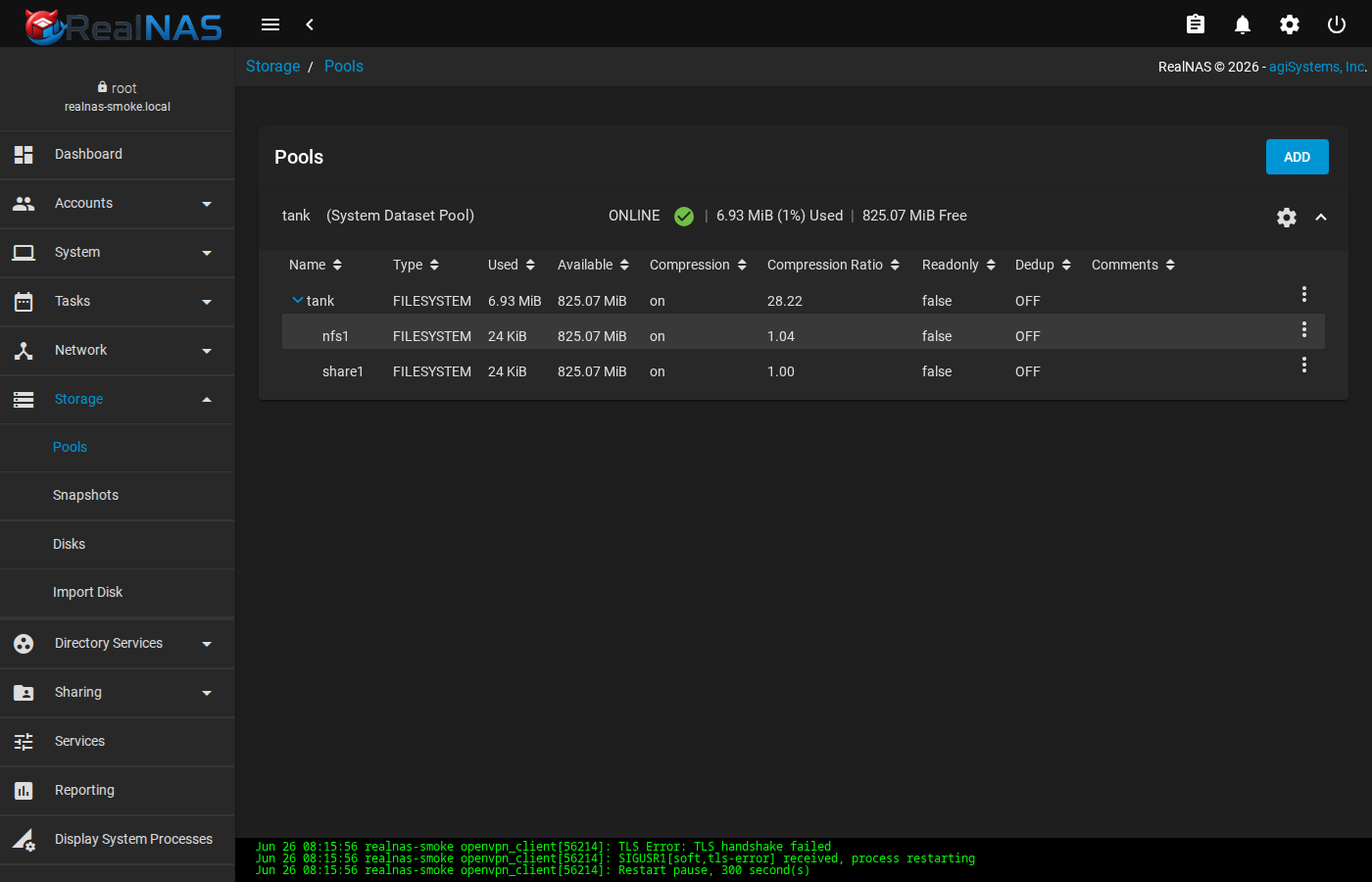
For an existing pool migration, use Storage → Pools → Import. The wizard first asks whether you are creating a new pool or importing an existing one. Choose import when the disks already contain a ZFS pool. The next step asks whether the pool uses legacy GELI encryption from FreeNAS 11.3 or earlier. Choose the legacy GELI path only for those older provider-level encrypted pools. Native OpenZFS encrypted pools should continue through the normal import path and unlock datasets after import.
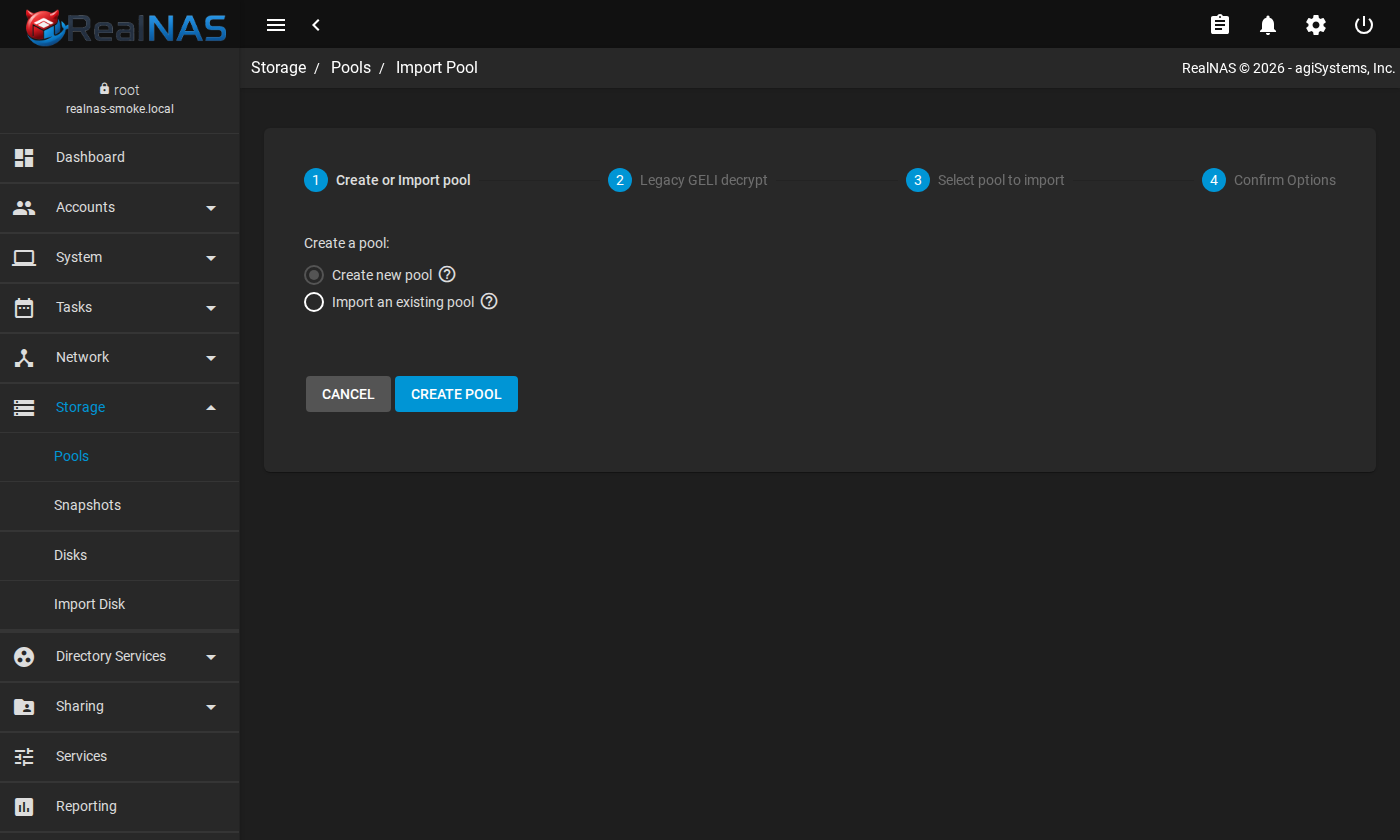
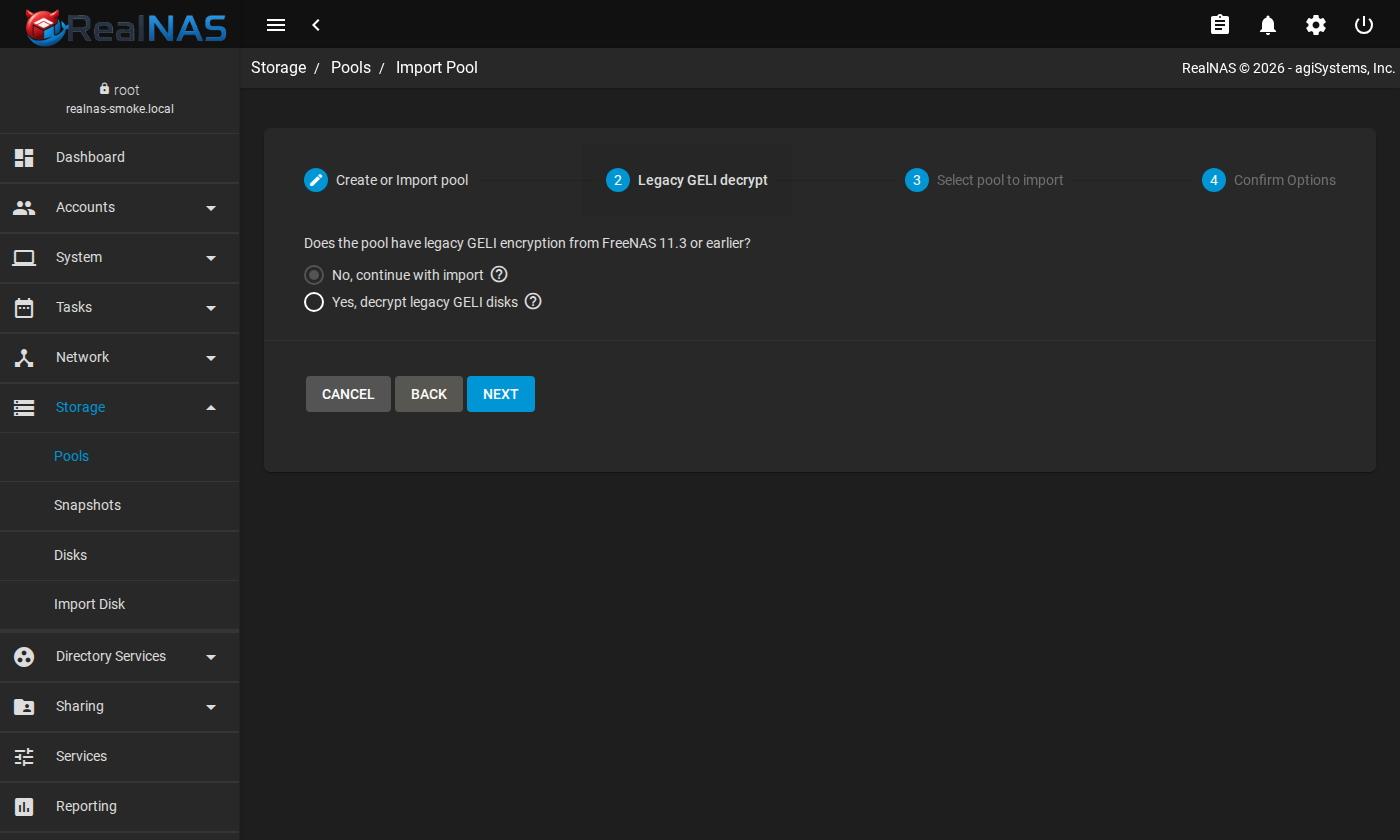
After any import, verify from the WebUI and the shell. The UI should show the pool online, the job list should not contain a failed import job, and zpool status -v should agree with the WebUI. For encrypted imports, reboot once during acceptance testing and verify that the expected unlock procedure still works.
Accounts Pages
Accounts → Users and Accounts → Groups are where you create local identities for SMB, NFS ownership mapping, shell access, and administrative roles. For migrated pools, numeric IDs matter more than display names. When recreating users, set UID and primary group to match the old system before exposing shares to clients.
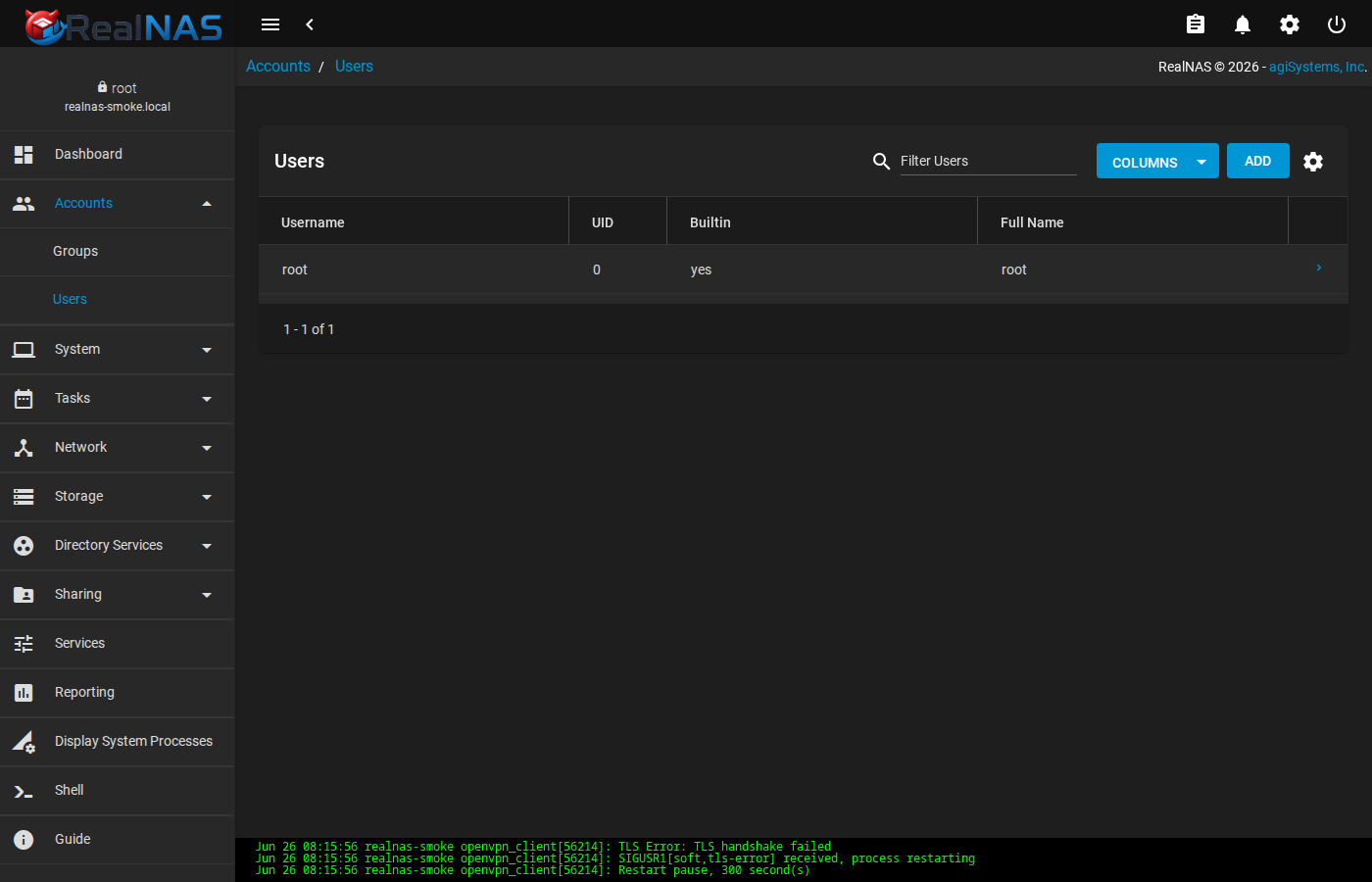
If you add users or groups from the FreeBSD shell with pw, run midclt call user.sync_builtin so middleware state sees the updated account database. If you add users from the WebUI, verify file ownership on imported data with ls -ln before client cutover.
Sharing Pages
Sharing → SMB and Sharing → NFS create network access to datasets. Start with one dataset and one client, verify read/write behavior, then widen access. For SMB, review share name, path, purpose, guest behavior, ACL mode, and previous-version behavior. For NFS, review host/network allow lists, read-only state, root mapping, and security flavor.
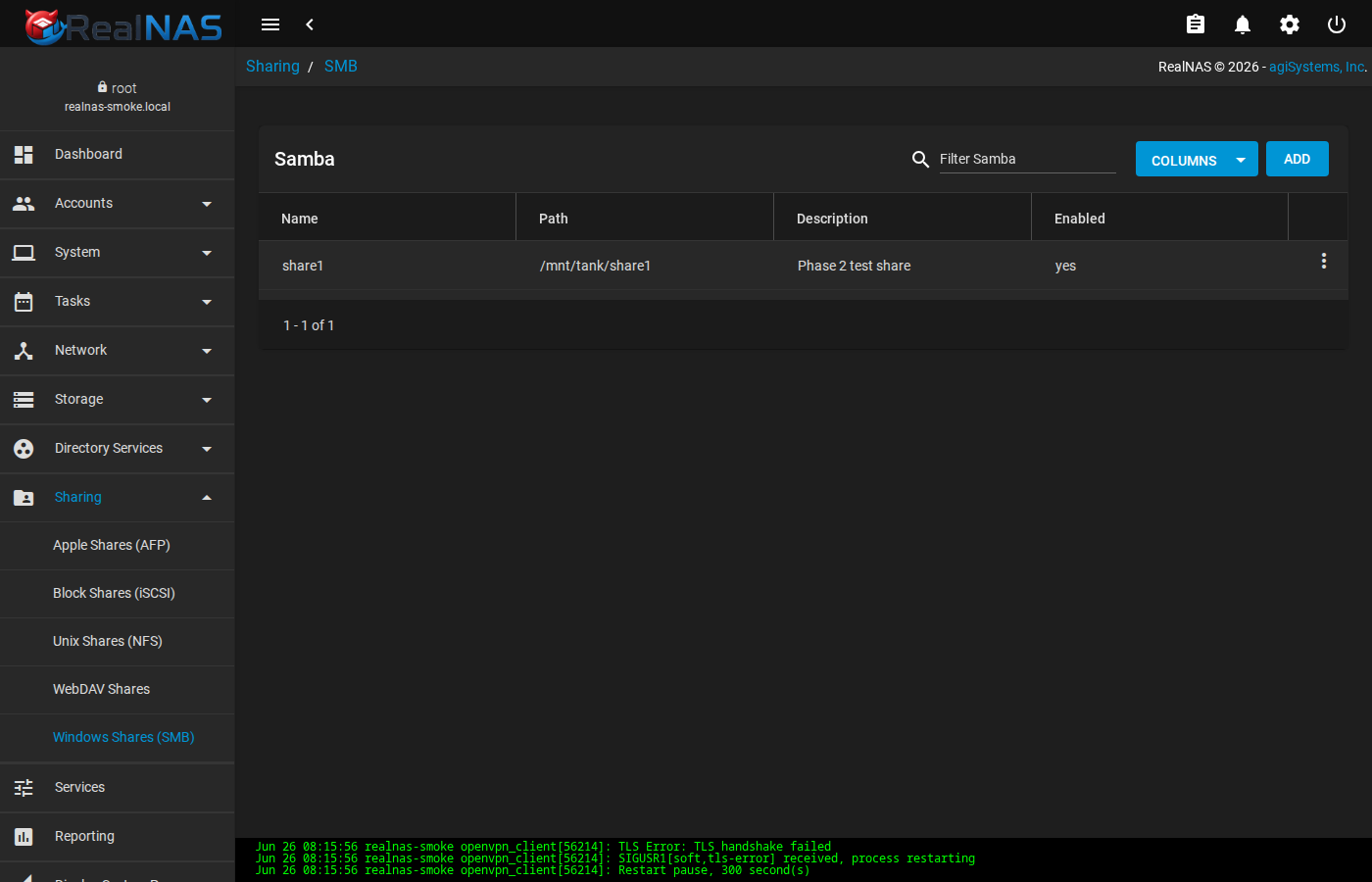
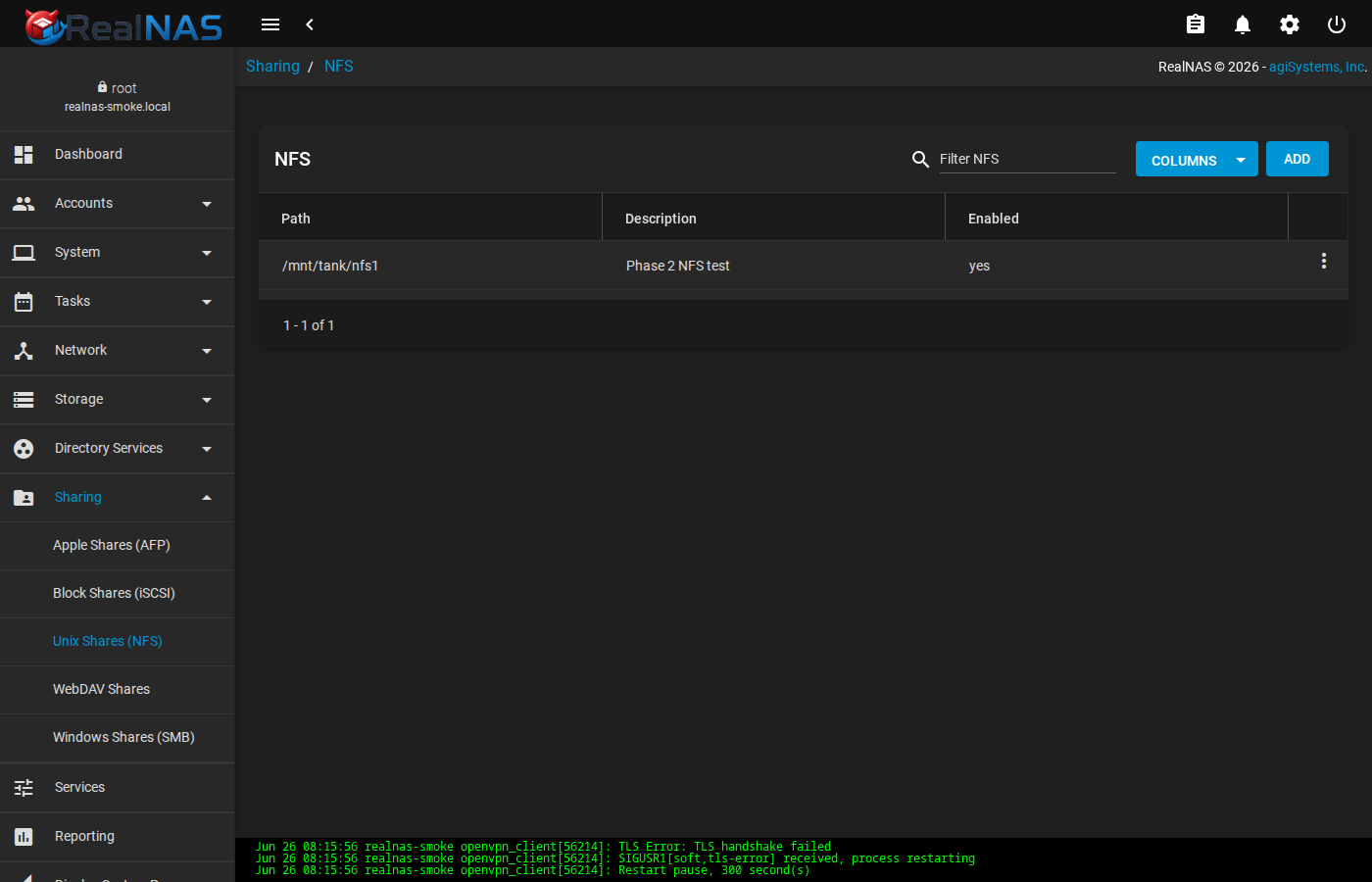
Generated sharing configuration is middleware-owned. If the WebUI and a hand-edited generated file disagree, RealNAS will regenerate from middleware state. Use service auxiliary fields, documented drop-ins, or direct FreeBSD service configuration only where the ownership rules permit it.
Services and Reporting Pages
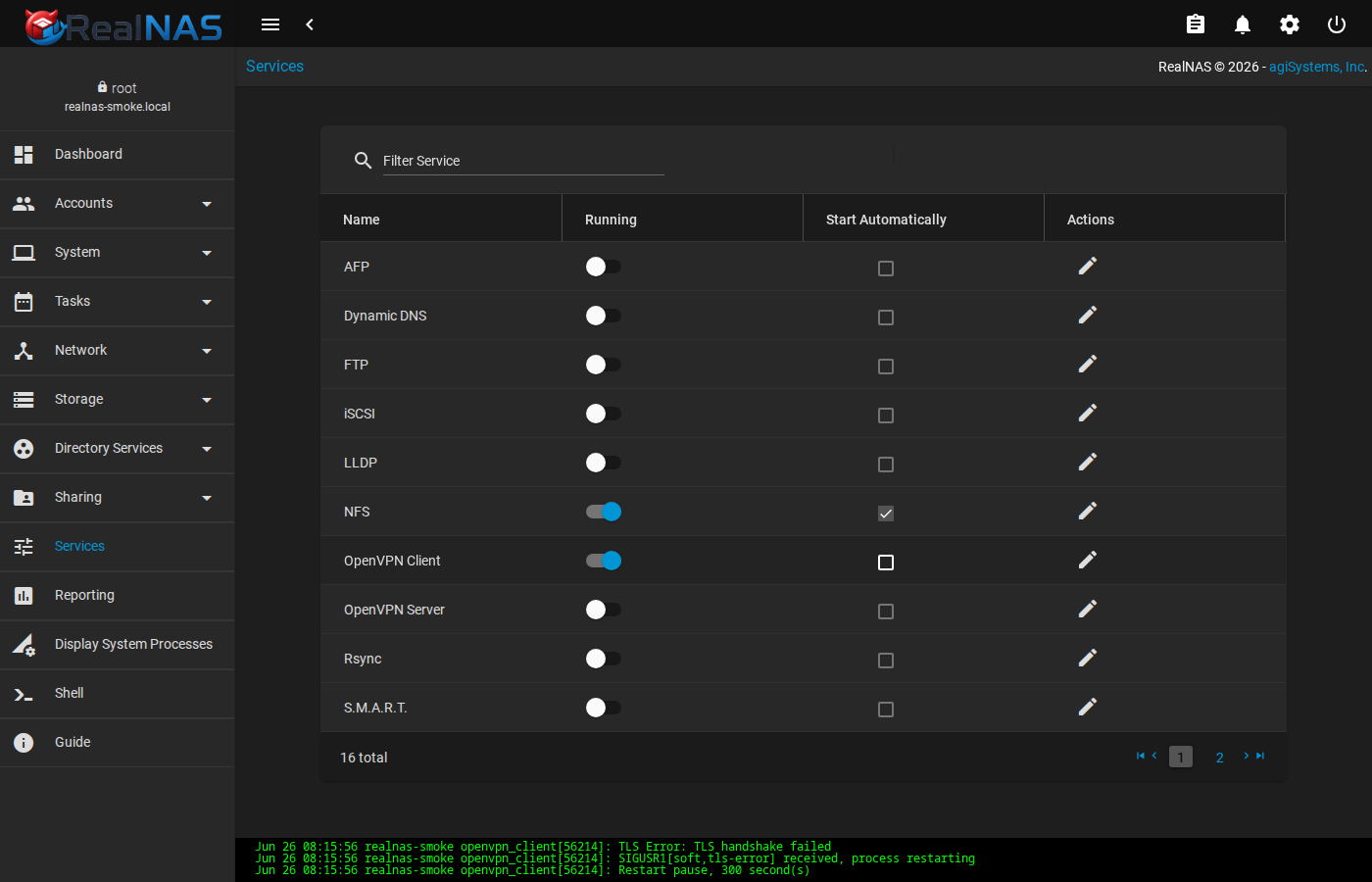
Services is the UI view of service lifecycle and enablement. Use it to start, stop, restart, and enable services such as SMB, NFS, SMART, SSH, rsync, UPS, and related daemons. The shell equivalent is service and sysrc; both paths should converge on the same FreeBSD service state.
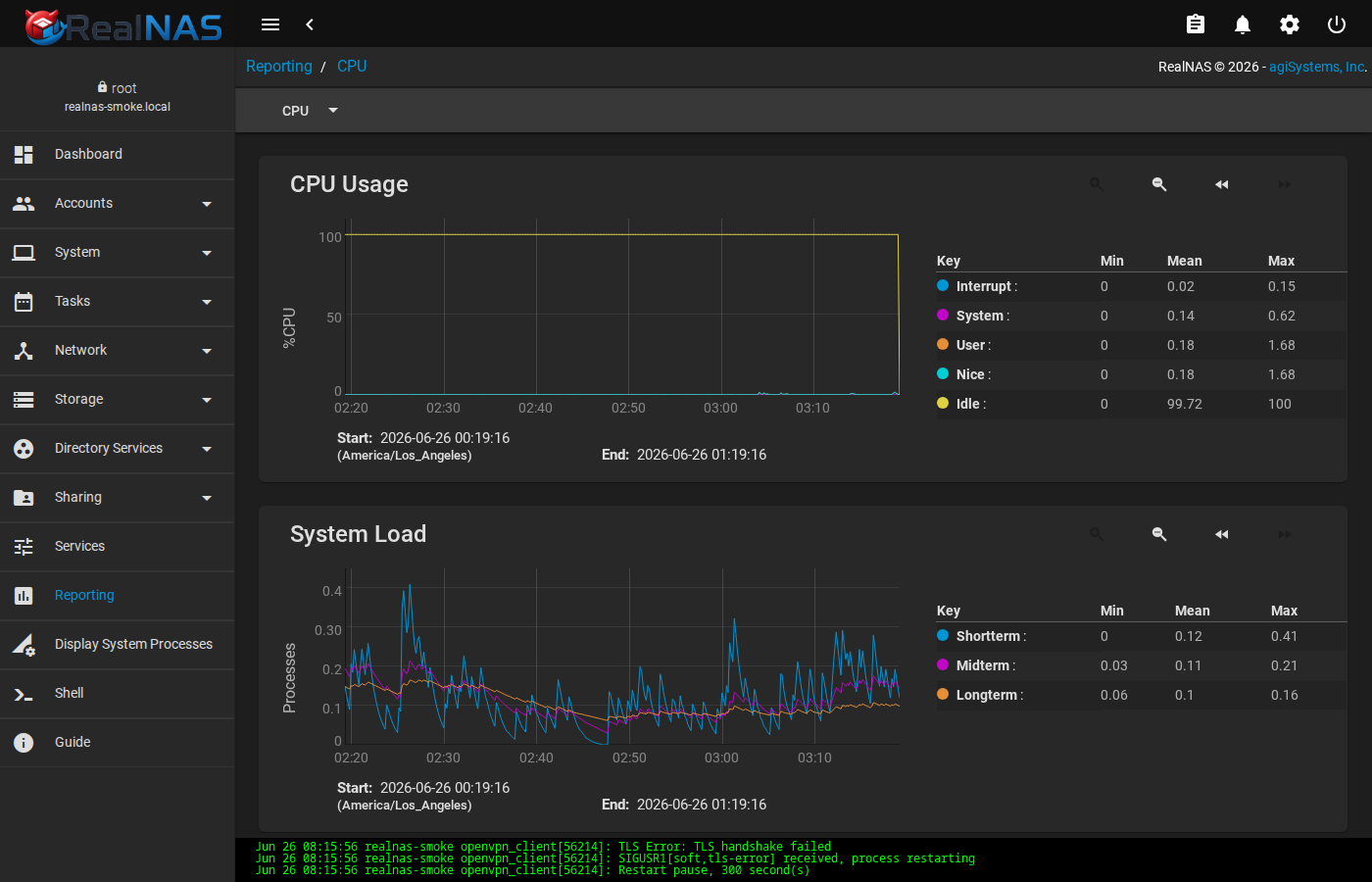
Reporting pages are useful after the system has collected enough samples. Immediately after a fresh install or reboot, CPU, memory, network, disk, and pool graphs may be empty or still loading. If graphs stay empty, verify rrdcached, collectd, and systemdataset.setup.
WebUI Troubleshooting
When a WebUI page fails, separate browser problems from backend problems. A blank page, endless spinner, or failed route often means the Angular bundle loaded but an API call failed. Check the browser console if you are at a workstation, then check middleware jobs and logs on the host.
curl -k https://127.0.0.1:4200/api/docs/
tail -100 /var/log/realnas/webui.log
tail -200 /var/log/realnas/middlewared.log
midclt call core.get_jobs
midclt call alert.list
If one page fails but the rest of the UI works, the owning plugin or service may be disabled, deferred, or failing validation. Use the Roadmap and Architecture pages to distinguish default-install promises from optional inherited surfaces.
4. Services, Ports, and Logs
The middleware daemon is realnasd. The public browser surface is realnas_webui, an HTTPS static server and reverse proxy for /api/ and /websocket. Middleware remains a loopback backend by default.
| Service | Default | Purpose |
|---|---|---|
realnasd |
127.0.0.1:6000 plus Unix sockets |
Middleware API, plugin runtime, datastore, events, and host operations. |
realnas_webui |
0.0.0.0:4200 with TLS enabled |
Browser-facing WebUI, static files, API proxy, and WebSocket bridge. |
rrdcached / collectd |
Enabled by bootstrap | Reporting data used by dashboard graphs. |
Common service controls use FreeBSD service and sysrc. These values live in /etc/rc.conf.
service realnasd restart
service realnas_webui restart
sysrc realnasd_loglevel=DEBUG
sysrc realnasd_tcp_listen=NO
sysrc realnas_webui_port=443
sysrc realnas_webui_backend=http://127.0.0.1:6000
Logs are local by default:
/var/log/realnas/install.log- Package post-install messages and
realnas-bootstrapoutput. /var/log/realnas/middlewared.log- Middleware startup, plugin loading, jobs, exceptions, and command-adapter failures.
/var/log/realnas/webui.log- WebUI reverse proxy startup, TLS load failures, API proxy failures, and WebSocket bridge errors.
/var/log/messages- FreeBSD system log, rc.d service messages, kernel messages, storage events, and daemon output from other services.
5. WebUI TLS
RealNAS serves the WebUI over HTTPS by default. Bootstrap creates a self-signed certificate only when both default files are absent:
realnas_webui_tls="YES"
realnas_webui_cert="/var/db/realnas/webui.crt"
realnas_webui_key="/var/db/realnas/webui.key"
The first-boot certificate includes localhost, the current hostname, realnas.local, 127.0.0.1, and ::1. The key is installed mode 0600; the certificate is installed mode 0644. If exactly one of the default files exists, bootstrap fails instead of guessing which half is correct. Remove both files to regenerate the first-boot pair, or install a complete replacement pair.
install -o root -g wheel -m 0644 fullchain.pem /var/db/realnas/webui.crt
install -o root -g wheel -m 0600 privkey.pem /var/db/realnas/webui.key
service realnas_webui restart
If you put RealNAS behind another reverse proxy, keep the middleware backend on loopback unless you have a specific reason to expose it. The public browser surface should be the WebUI proxy or your fronting proxy, not the raw middleware port.
6. Storage Pools
Use Storage → Pools for pool creation, import, export, delete, replacement, and scrub workflows. The shell remains valid for inspection with zpool and zfs, but imports through middleware allow RealNAS to converge its datastore and follow-up dataset state.
Create a Pool
Choose the disks, topology, and pool name. The UI and API validate the request, call the FreeBSD/ZFS mutation path through the storage adapters, and verify both middleware state and real ZFS state.
zpool status
zpool list
midclt call pool.query
Import an Existing Unencrypted Pool
The safest import path is discovery, review, import, then verification.
# inspect importable pools
midclt call pool.import_find

# inspect from the shell if needed
zpool import

# after UI/API import, verify both views
midclt call pool.query
zpool status
zfs list
If the pool was not exported cleanly on the old host, RealNAS may still see it, but do not force import until you understand which host last owned it. For migrations, export the pool cleanly before moving it.
Native OpenZFS Encrypted Pools
Native OpenZFS encryption is handled after import. RealNAS imports the pool, detects locked encrypted datasets, validates passphrases or keys through the dataset encryption summary path, and unlocks datasets with pool.dataset.unlock.
midclt call pool.import_find
midclt call pool.dataset.encryption_summary tank
midclt call pool.dataset.unlock tank/secure '{"recursive": true}'
Keep key material outside the array. A snapshot protects against some mistakes; it does not protect a passphrase stored only on the same pool.
Legacy GELI Encrypted Pools
Legacy GELI encrypted pools from older FreeNAS / TrueNAS CORE systems are different from native OpenZFS encrypted pools. GELI is below ZFS, so the raw providers may need to be attached before the pool appears in pool.import_find.
RealNAS supports legacy GELI as an in-place import landing state. The WebUI discovers unused GELI ZFS providers, uploads the GELI key to the disk decrypt path, attaches providers, refreshes import discovery, and imports through middleware with the legacy GELI device list. Failed attach/import attempts are expected to detach providers attached by the job and leave middleware datastore state unchanged.
Do not describe this as native OpenZFS conversion. Conversion to native OpenZFS encryption is separate migration work. The planning API, pool.legacy_geli_migration_plan, is dry-run only: it reports source datasets, SMB/NFS shares, replication tasks, destination requirements, and operator steps. The confirmed copy job, pool.legacy_geli_migrate, creates or validates a separate native encrypted destination dataset, snapshots the legacy source, copies through temporary local replication, verifies destination data, and leaves the legacy source intact for rollback.
Maintenance and Rollback
Scrubs, snapshot rollback, replacement, export, import, and delete operations should converge in both middleware state and ZFS state. When a destructive storage change fails, inspect both sides before retrying:
midclt call core.get_jobs '[["method", "~", "pool|zfs|disk"]]'
midclt call pool.query
zpool status -v
zfs list -t filesystem,volume,snapshot
Pool Status Detail
From the Pools list page, the row menu item Status (or the Pool Status button on the dashboard widget) opens a per-pool detail view. The page shows the vdev topology (data, cache, spare, log) plus per-disk state. ONLINE state on every leaf is the load-bearing health signal; anything else routes to the row menu actions for replace, online, offline, or extend.
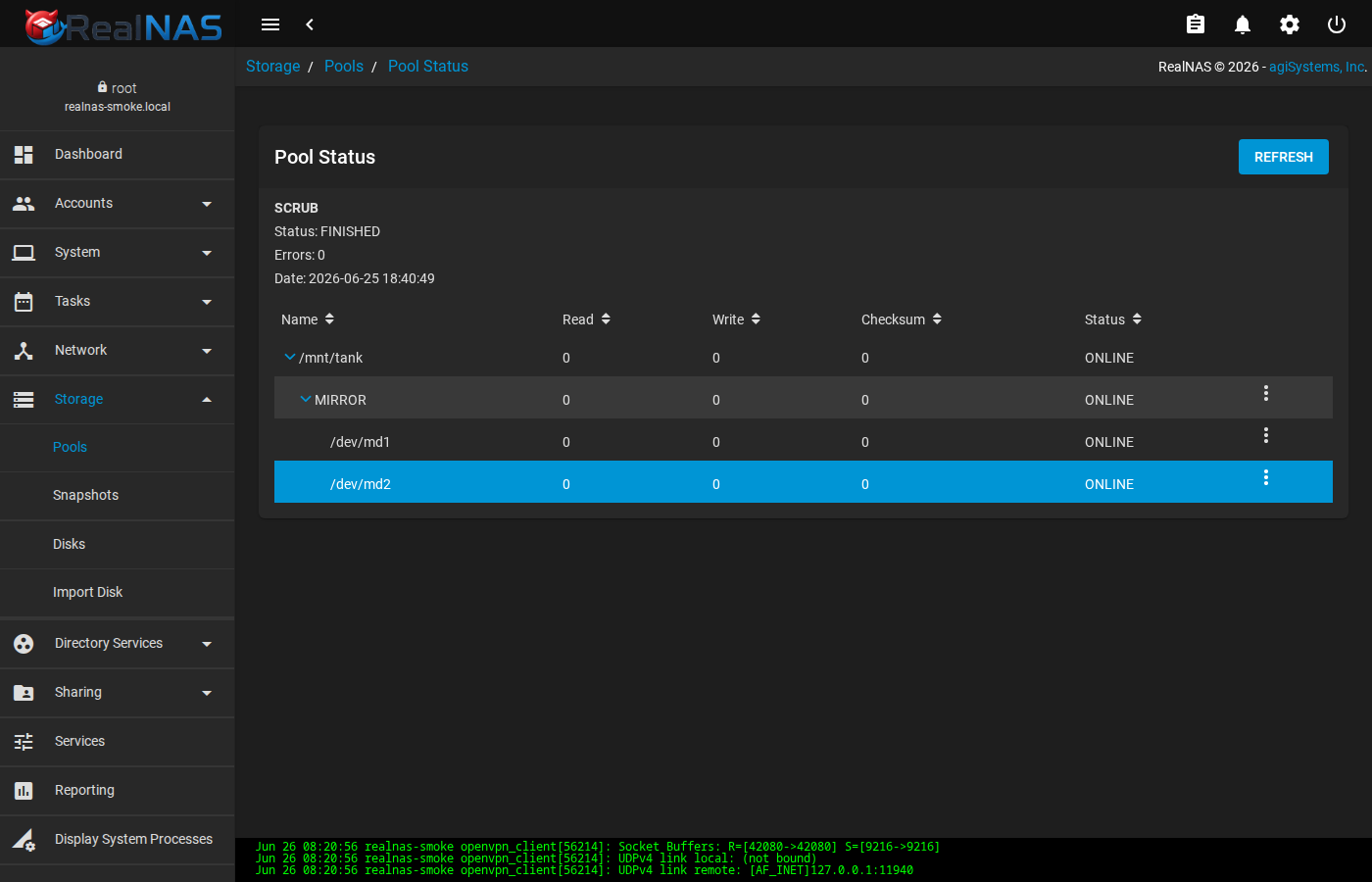
zpool status -v; per-disk row menus expose replace, offline, and online actions.Pool Manager (Create or Extend)
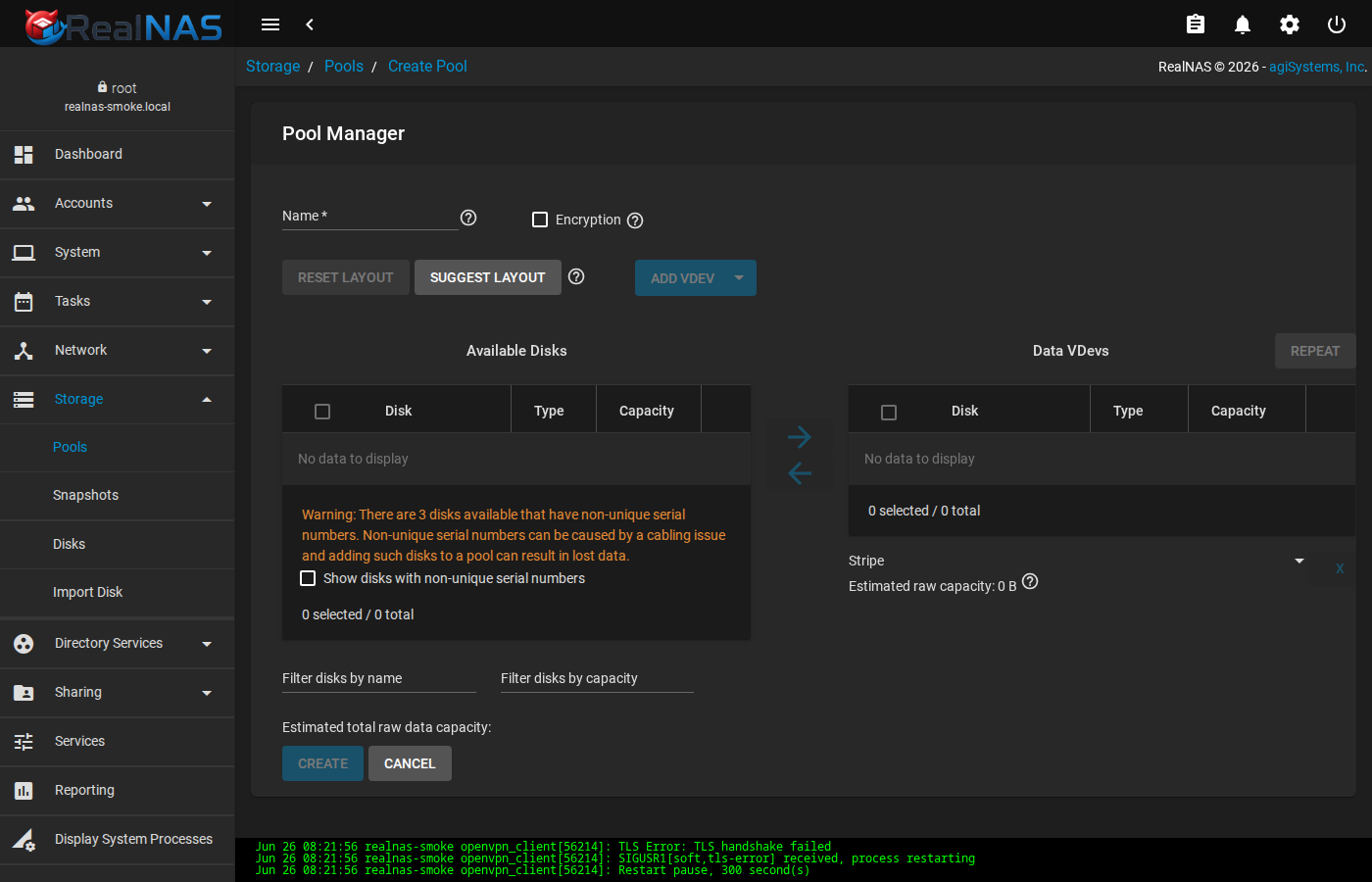
The Pool Manager (Storage → Pools → Add) walks you through choosing disks, picking a layout (mirror, raidz, stripe, etc.), and naming the pool. Use it for the initial pool create and for extending an existing pool with additional vdevs. The wizard validates capacity, redundancy, and disk eligibility before the destructive call.
Datasets, ZVols, and ACLs
From a pool's row in the Pools list, the row menu offers Add Dataset and Add Zvol. Datasets are file-backed ZFS filesystems; zvols are block-backed volumes typically used as iSCSI extents.
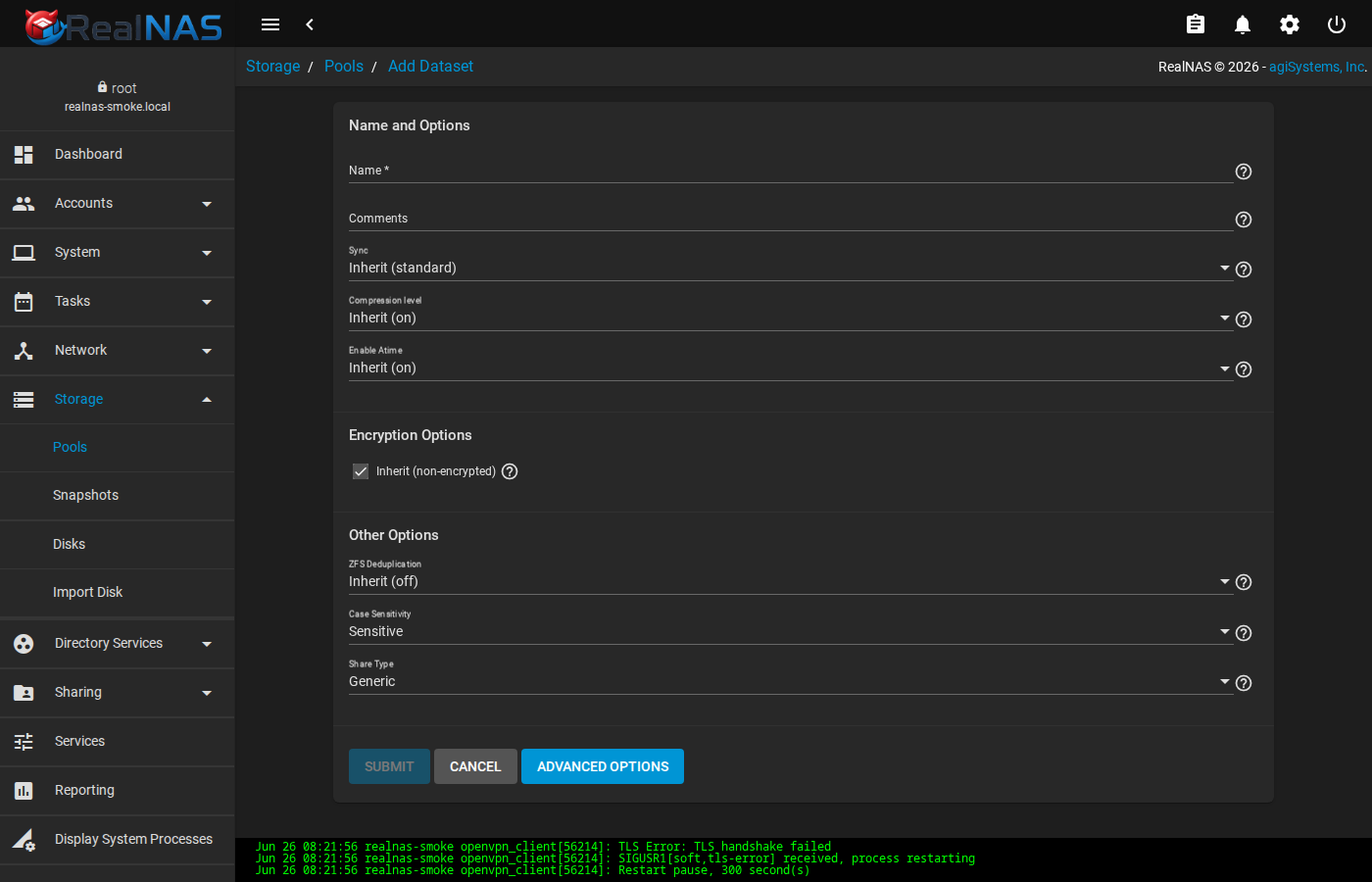
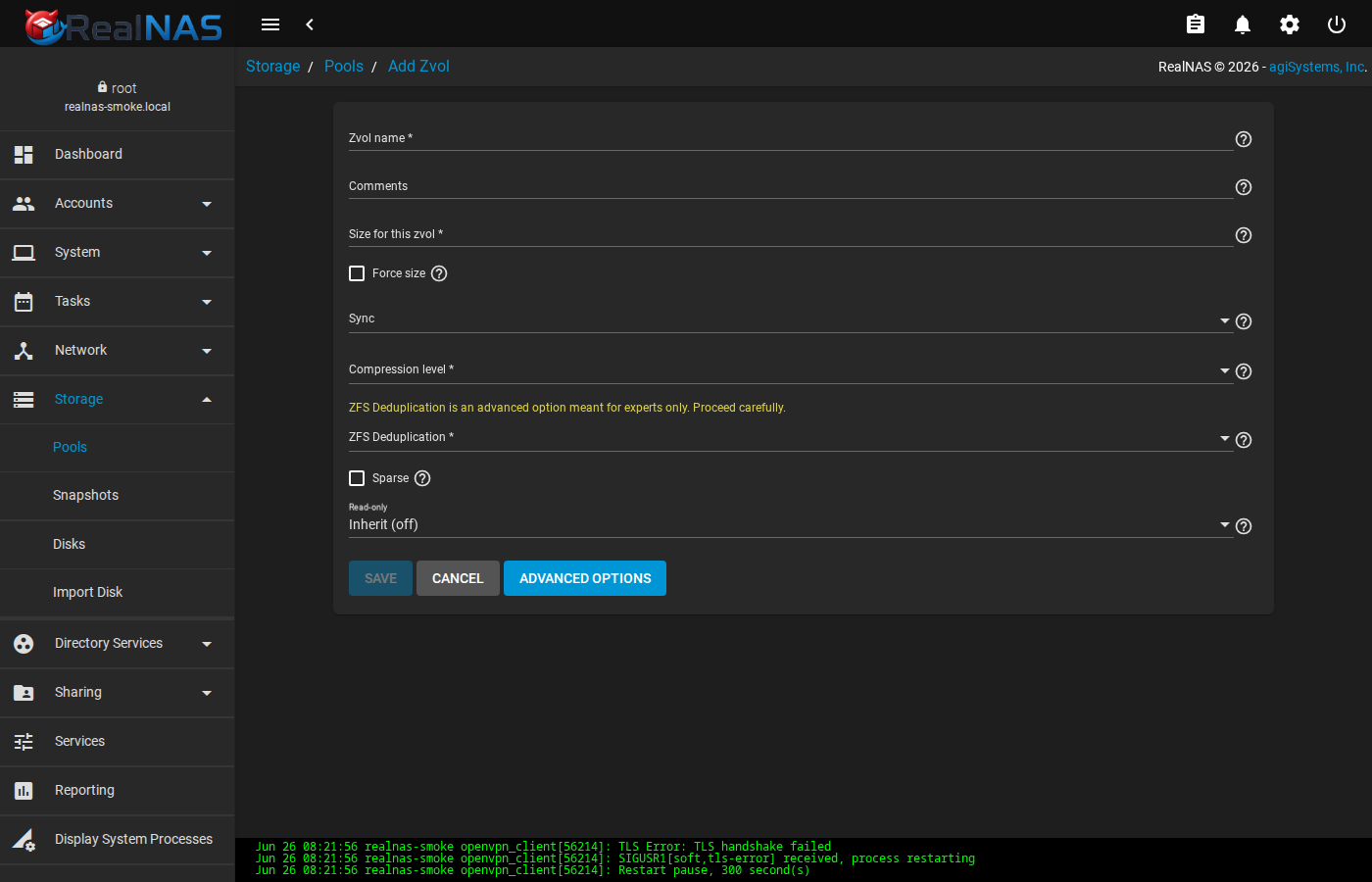
The ACL editor at /storage/pools/id/<pk>/dataset/acl/<path> opens from a dataset's row menu. It is the only safe surface for editing ZFS ACLs from the UI; do not edit ACLs from the shell without an explicit reason.
User and Group Quotas
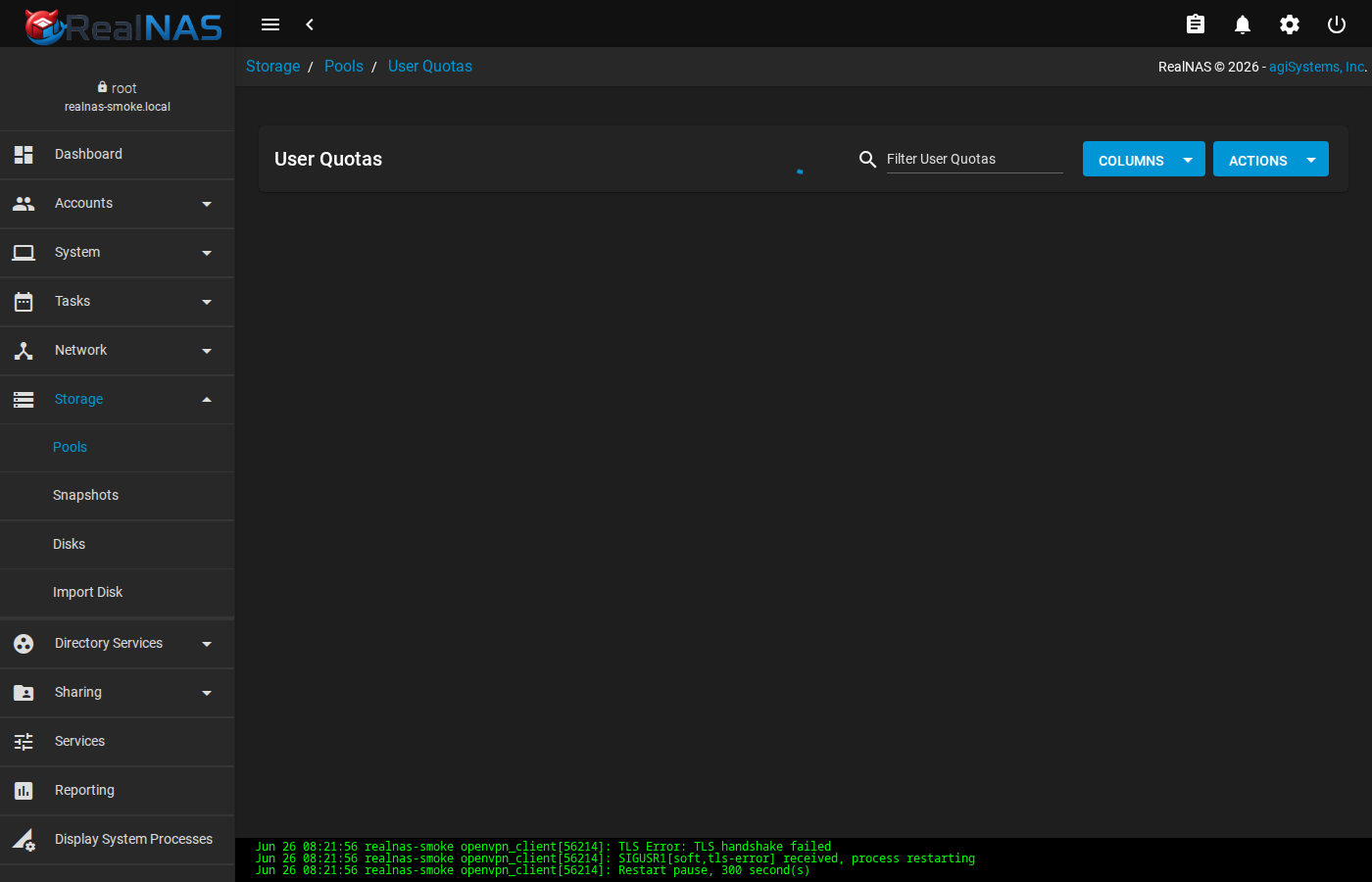
From the pool's row menu pick User Quotas or Group Quotas. The quota page shows the current per-identity used bytes and lets you set a hard quota. Quotas apply to the pool root by default; per-dataset quotas are set on the dataset edit form.
Encryption Keys: Create, Add, Change, Rekey
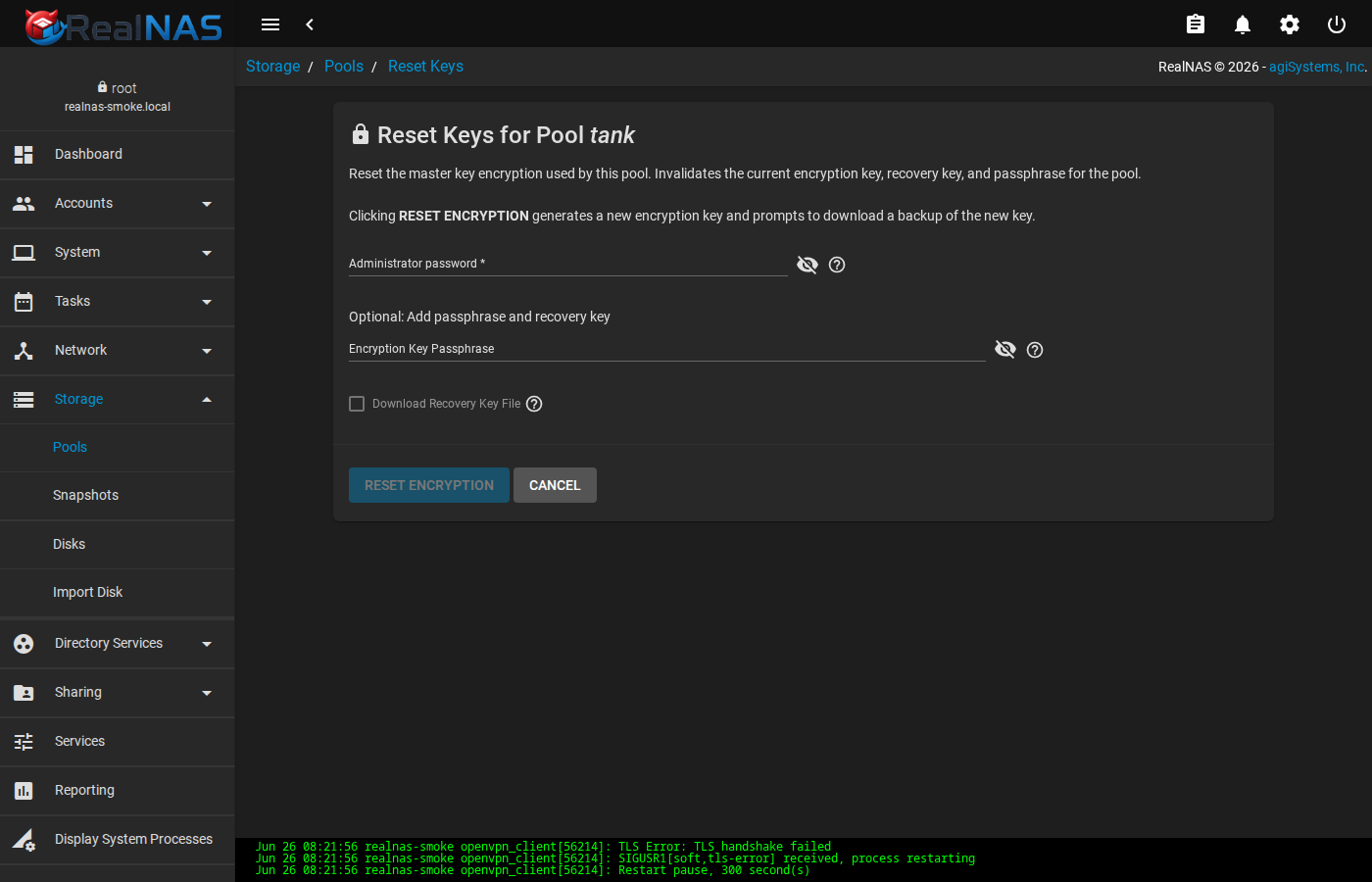
ZFS-native encrypted datasets are key-managed under /storage/pools/{createkey,addkey,changekey,rekey}/<pk>. The flow distinguishes passphrase (user-supplied) from key file (raw bytes stored in the credential store). Keep an offline copy of every key; losing the only copy of an encryption key destroys the dataset.
Disks: Bulk Edit, Single Edit, SMART Results
Storage → Disks lists every disk known to FreeBSD, regardless of pool membership. The row menu offers Edit for per-disk metadata (description, advanced power management, write cache, S.M.A.R.T. options); Bulk Edit applies the same setting to many disks at once. S.M.A.R.T. Test Results opens the per-disk history of completed SMART tests.
7. Datasets, Snapshots, and Replication
Use Storage → Datasets to create child datasets and set properties such as compression, recordsize, atime, quota, reservation, ACL mode, and encryption. ZFS remains the source of truth for dataset properties.
zfs get compression,recordsize,atime,quota,reservation tank/home
zfs set compression=zstd tank/home
midclt call pool.dataset.query '[["id", "=", "tank/home"]]'
RealNAS supports one-time snapshots and scheduled snapshots. Snapshot tasks and replication tasks are RealNAS-owned orchestration state, while the snapshots themselves are ZFS state.
zfs snapshot tank/home@manual-$(date +%Y%m%d)
zfs list -t snapshot -r tank/home
midclt call snapshot.query '[["dataset", "=", "tank/home"]]'
Snapshots are not backups. Replicate important snapshots to another system and test the receive path before you need it.
Periodic Snapshot Tasks
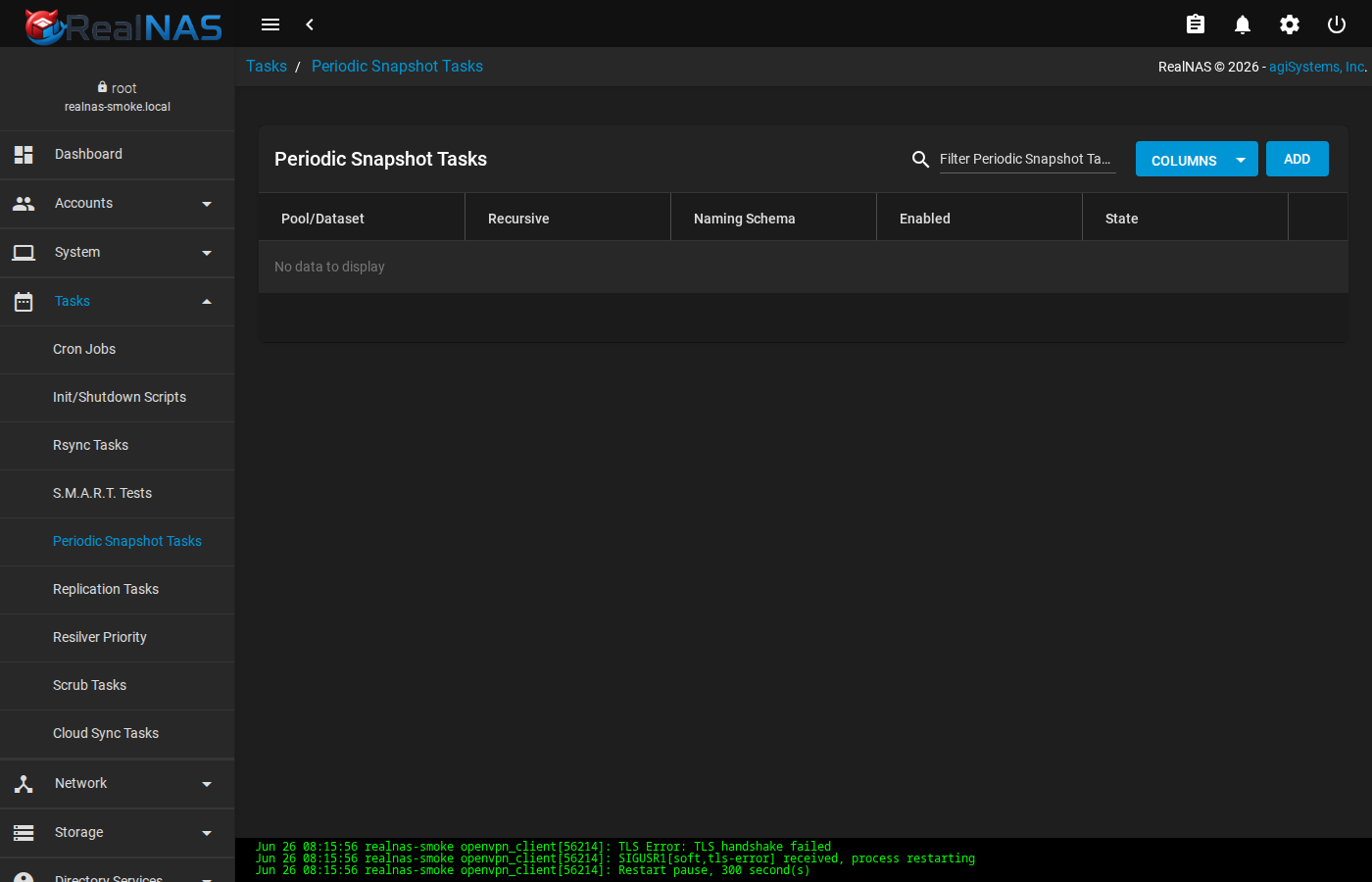
Tasks → Periodic Snapshot Tasks schedules recurring snapshots on a dataset. Configure the dataset, a naming schema (e.g. %Y-%m-%d_%H-%M), an optional retention Lifetime, and a cron-style schedule. Click SAVE. The task runs through middleware and lands real ZFS snapshots; verify with zfs list -t snapshot.
Replication Tasks
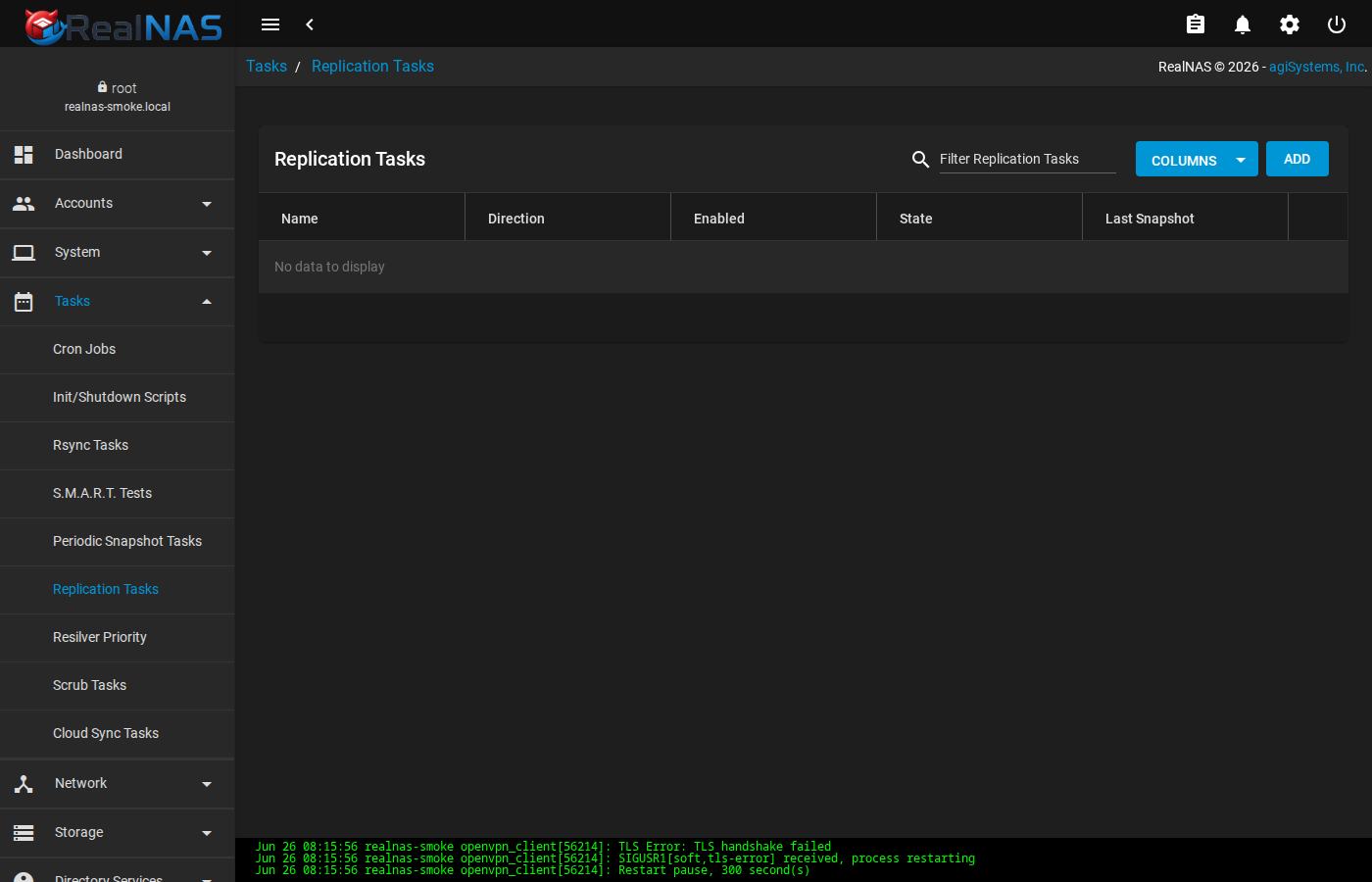
Tasks → Replication Tasks sends snapshots from a source to a destination. The destination can be local (push to another pool on the same host) or remote over an SSH connection stored under System → SSH Connections. Pair the task with a naming schema that matches a Periodic Snapshot Task; without that pairing the task has no source snapshots to send.
Scrub Tasks
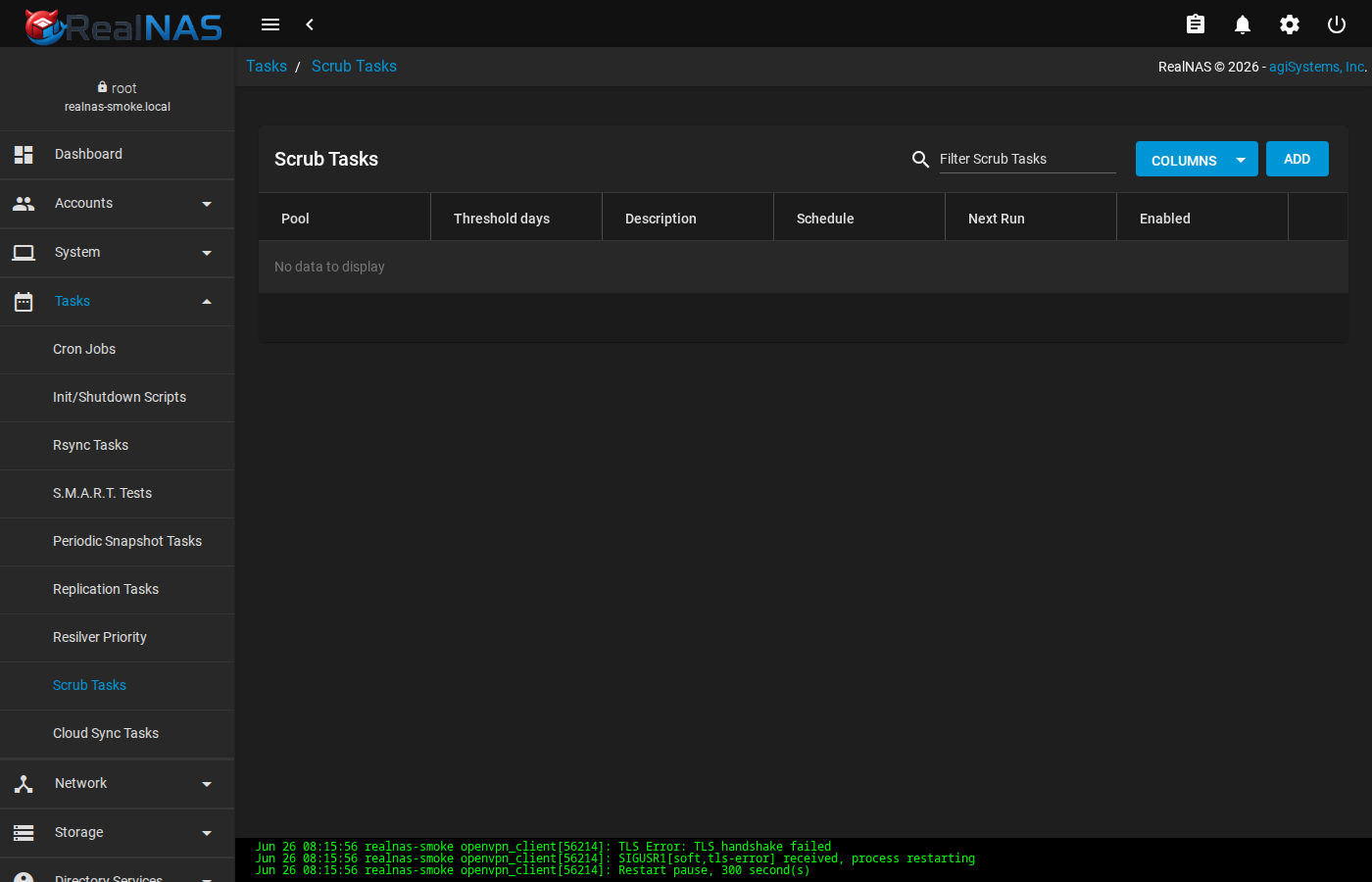
Tasks → Scrub Tasks schedules zpool scrub against a pool. Scrubs verify checksums and surface latent errors; run them at least monthly on production pools.
Cron Jobs, Init/Shutdown Scripts, Rsync, S.M.A.R.T., Cloud Sync
RealNAS surfaces several additional task categories. Each lives under Tasks in the sidebar.
- Cron Jobs
- Run an arbitrary shell command as a chosen user on a cron-style schedule. Middleware writes the job into
/etc/cron.d/middlewared. - Init/Shutdown Scripts
- Run a command at one of POSTINIT (after services are up), PREINIT (before services), or SHUTDOWN. Useful for site-local provisioning that should survive bootstrap.
- Rsync Tasks
- Schedule rsync push/pull jobs to a remote endpoint. Authentication uses the SSH credential store. Different from the rsync service, which is the rsyncd daemon under Services.
- S.M.A.R.T. Tests
- Schedule SHORT, LONG, CONVEYANCE, or OFFLINE tests against one or more disks. Test history lives under Storage → Disks row menu → S.M.A.R.T. Test Results.
- Cloud Sync Tasks
- Schedule rclone-style sync against a cloud-credentialled endpoint. Cloud credentials live under System → Cloud Credentials. Supported providers are: Amazon S3 (and S3-compatible such as Backblaze B2-via-S3), Backblaze B2 (native API), Microsoft Azure Blob, Box, Dropbox, FTP, Google Cloud Storage, Google Drive, HTTP, Hubic, Mega, Microsoft OneDrive (Personal, Business, and Document Library drive types), pCloud, SFTP, Storj iX, OpenStack Swift, WebDAV, and Yandex Disk. OneDrive credentials require a Microsoft Graph OAuth token plus a drive type; the OneDrive provider exposes
cloudsync.onedrive_list_drivesfor enumerating drives once the OAuth token is captured. - Resilver Priority
- Not a per-task page; a global toggle controlling when ZFS prioritizes resilver throughput over other I/O.
8. SMB Shares
Use Sharing → SMB to create a share, choose the dataset path, set the share name, configure ownership and ACL behavior, and enable snapshot-backed previous versions where appropriate.
RealNAS uses stock FreeBSD Samba rather than iX-specific VFS modules. For standalone SMB, the share template uses Samba's standard ZFS ACL and shadow-copy support such as zfsacl and shadow_copy2. Directory-service-backed identity remains explicit configuration; a no-domain default install should stay local and degraded-honest for AD/LDAP/NIS probes.
Generated SMB state is middleware-owned. Use SMB auxiliary parameters and Samba registry shares for supported extensions. Do not rely on hand edits to generated SMB files surviving regeneration.
service samba_server status
testparm -s /usr/local/etc/smb4.conf
midclt call sharing.smb.query
midclt call smb.synchronize_group_mappings
If Windows clients time out or group mappings are wrong, check Samba state, the middleware log, and whether user.sync_builtin has imported the expected users and groups.
9. NFS Exports
Use Sharing → NFS to choose a dataset, allowed hosts or networks, and export options such as read-only mode, root mapping, and security flavor. NFS export generation is middleware-owned because exports(5) does not provide a safe include/drop-in merge contract for this surface.
service nfsd status
service mountd status
showmount -e
midclt call sharing.nfs.query
Keep NFS authorization explicit. Avoid broad exports while testing client access; start with a single host or management subnet, verify mount behavior, then widen only if the deployment requires it.
10. Network Configuration
Network interface and route changes go through middleware APIs and FreeBSD configuration adapters. DNS generation flows through the central etc.generate('resolv') path. Static route create/delete should converge in middleware datastore state, generated FreeBSD rc configuration, and live routing state.
midclt call network.configuration.config
midclt call route.system_routes
midclt call interface.query
cat /etc/resolv.conf
grep -E 'defaultrouter|static_routes|route_' /etc/rc.conf /etc/rc.conf.freenas 2>/dev/null
Staged interface changes should be checked in or rolled back. On remote systems, do not commit a management-interface change unless you have console access or a tested rollback path.
midclt call interface.has_pending_changes
midclt call interface.rollback
midclt call interface.checkin
11. SMART, Alerts, and Reporting
Use System → SMART to schedule short and long tests. RealNAS uses FreeBSD packages and tools such as smartctl, and hardware-specific surfaces may require hardware-specific validation.
smartctl -a /dev/da0
midclt call smart.test.query
midclt call disk.query
Configure SMTP and alert recipients before depending on email notifications. Local logs are still written when email is not configured. Reporting graphs require the reporting services enabled by bootstrap and a working system dataset runtime tree.
midclt call alert.list
midclt call systemdataset.config
service rrdcached status
service collectd status
Alert Sources
Alert sources are background pollers (and event handlers) that decide when an alert fires. RealNAS ships the following active sources, covering pool health, hardware, services, and directory bindings:
- Active Directory + LDAP bind health. Domain validation runs every hour; LDAP root DSE bind runs every 10 minutes. A failed bind or domain check sets the directory service state to FAULTED and raises a WARNING alert.
- Data pool degradation. Any ZFS pool that reports unhealthy (DEGRADED, FAULTED, UNAVAIL) raises a CRITICAL alert that names the bad vdevs. The boot pool is monitored separately by a dedicated source.
- SMART daemon liveness. When the smartd service is enabled in the datastore and the host is on bare iron (not a hypervisor guest), a stopped smartd raises a WARNING.
- Update availability. Once an hour,
update.check_availableprobes the configured pkg repository and raises an INFO alert when an upgrade is ready. - Certificate expiry, IPMI SEL, lagg, multipath, iSCSI, cores, scrub paused, quota, replication, reporting database, and ZFS pool capacity are also polled by built-in sources.
Source policy lives under middlewared/alert/source/. A source that depends on a feature RealNAS does not ship (today: NIS) is parked under alert/source.disabled/ with a justification comment.
Alert Delivery Channels
Configure delivery under System → Alert Services. RealNAS supports the following channels out of the box:
- SMTP delivery through the System → Email settings. The default for low-volume operator notifications.
alertservice.testsends a verification message. - Slack
- Incoming webhook delivery. The schema requires the webhook URL and an optional channel override.
- PagerDuty
- Events API v2 delivery. Maps RealNAS alert levels to PagerDuty severities (CRITICAL/ERROR → critical, WARNING → warning, INFO → info).
- OpsGenie
- API key delivery. The schema requires the API key and an optional team.
- Mattermost
- Incoming webhook delivery, same shape as Slack.
- SNMP Trap
- SNMPv2c trap delivery to a configured manager. Pairs with the SNMP service for read access.
- VictorOps
- REST endpoint delivery.
- AWS SNS
- SNS topic delivery. Requires AWS credentials and the destination topic ARN.
- InfluxDB
- Writes each alert as a time-series point into a configured InfluxDB database and measurement. Useful when alerts are part of a larger metrics/observability stack instead of operator inboxes. The
influxdbPython package ships in the RealNAS wheelhouse; missing wheelhouse content yields an actionable error at fire time.
# list configured services
midclt call alertservice.query

# test a configured service by id
midclt call alertservice.test '[1]'
12. Updates and Rollback
RealNAS updates use FreeBSD-native tools instead of an appliance image train. The recommended path is a single atomic transaction through middleware: update.update runs base patches, package upgrades, schema migration, and a post-upgrade health check, with paired boot-environment and database rollback on any failure.
midclt call update.update '{"create_be":true,"install_base":true,"upgrade_pkgs":true,"reboot":false}' --jobThe transaction runs six numbered steps in order, each with an explicit rollback obligation:
| # | Step | What it does |
|---|---|---|
| 1 | DB snapshot | Copies /var/db/realnas/realnas-v1.db to realnas-v1.db.pre-update via tmp + atomic os.replace. Fatal if it cannot write. |
| 2 | Boot environment | bectl create pre-update-<timestamp> with conflict-suffix retry. Fatal if it cannot create. |
| 3 | Base patches | freebsd-update install on traditional installs; skipped on PkgBase systems. Return codes 0 and 2 (no patches available) are both treated as success. |
| 4 | Package upgrade | pkg upgrade -y with a 30-minute timeout. |
| 5 | Schema migration | Sets the run_migration keyvalue flag and runs the python-coded migration modules against the upgraded codebase. Alembic migrations run as part of middleware start. |
| 6 | Health check | Calls system.info, systemdataset.config, and a user.query count. Any failure means the upgrade did not converge. |
On any failure in steps 3-6, two rollback channels fire in order:
- Boot environment rollback.
bectl activateon the pre-update BE so the next boot lands on the pre-update root. This is deferred: the running system keeps its current root until you reboot. - Database rollback. Atomic
os.replaceof the pre-update snapshot over the live DB. This is immediate: the very next middleware request sees the pre-update schema.
The resulting error concatenates the failure cause with both rollback messages, so the operator-visible message explains exactly which BE was activated and whether the DB was restored. On success the snapshot is deleted and the system runs the upgraded code with no further intervention.
If base patches landed in step 3, reboot to pick them up:
shutdown -r nowTo return to a pre-update environment after a clean upgrade, list and activate manually:
bectl list
bectl activate pre-update-YYYYMMDDHHMMSS
shutdown -r now
Rerun realnas-bootstrap after package upgrades that changed middleware dependencies or first-boot-owned runtime state. It is designed to be idempotent.
Full destructive upgrade-matrix coverage against real failed pkg / freebsd-update runs (debt item STOR-003) is open release-hardening work. Static gates pin the transaction shape; lab evidence will exercise it end-to-end.
13. Generated Configuration and Local Edits
RealNAS-generated configuration is regenerated from middleware database state. Do not edit generated files in place and expect those edits to survive. Use the owning UI/API, a documented auxiliary field, or a documented drop-in path.
| Area | Supported operator extension |
|---|---|
| nginx-based proxy contexts, where enabled | /usr/local/etc/nginx/conf.d/*.conf and /usr/local/etc/nginx/realnas-server.d/*.conf for generated nginx configurations that include those paths. |
| OpenSSH daemon | /usr/local/etc/ssh/sshd_config.d/*.conf for additive snippets; core SSH settings still belong in the UI/API or FreeBSD SSH config policy. |
| Apache WebDAV | /usr/local/etc/apache24/Includes/*.conf; RealNAS-generated WebDAV files in that directory remain middleware-owned. |
| sudo | /usr/local/etc/sudoers.d. |
| SMB, AFP, FTP, rsync, SNMP, OpenVPN | Use the service's auxiliary/options fields where exposed. Arbitrary SMB include = ... lines are intentionally rejected from SMB auxiliary input. |
Some files are fully RealNAS-owned because they contain secrets or have no safe partial-merge semantics. Examples include generated account databases, Kerberos keytabs, NFS exports, SMART configuration, middleware cron entries, certificate private keys, selected PAM/2FA files, and system dataset/syslog migration surfaces. Treat these as API-owned.
14. Troubleshooting
Bootstrap failed
Read the install log, verify the offline wheelhouse exists, and check whether a partial WebUI certificate pair exists. Release installs should not fetch Python dependencies from the network.
tail -200 /var/log/realnas/install.log
ls -l /usr/local/share/realnas/wheelhouse
ls -l /var/db/realnas/webui.crt /var/db/realnas/webui.key
/usr/local/sbin/realnas-bootstrap
WebUI does not start
Confirm the Angular bundle and proxy exist, the TLS key is mode 0400 or 0600, and the backend points at the running middleware service.
service realnas_webui status
tail -100 /var/log/realnas/webui.log
sysrc -n realnas_webui_dist realnas_webui_proxy realnas_webui_backend realnas_webui_tls
stat -f '%Sp %u:%g %N' /var/db/realnas/webui.key
Middleware API is down
Check daemon startup, socket creation, and plugin errors.
service realnasd status
tail -200 /var/log/realnas/middlewared.log
ls -ld /var/run/middlewared
ls -l /var/run/middlewared.sock /var/run/middlewared-internal.sock
midclt call system.info
Pool import is missing a candidate
Verify the disks are visible to FreeBSD, the pool was exported cleanly, and encryption handling matches the pool type.
camcontrol devlist
gpart show
zpool import
midclt call pool.import_find
midclt call disk.get_encrypted
SMB clients cannot connect
Check Samba, group mappings, local users, generated hosts, and reverse-DNS symptoms.
service samba_server status
testparm -s
net groupmap list verbose
midclt call smb.synchronize_group_mappings
midclt call user.sync_builtin
grep "$(hostname)" /etc/hosts
16. AFP and WebDAV Shares
RealNAS ships two additional sharing protocols beyond SMB and NFS. AFP (Apple Filing Protocol) is mostly relevant for legacy macOS clients; WebDAV exposes a dataset over HTTPS for clients that prefer that over SMB. Each lives under Sharing in the sidebar.
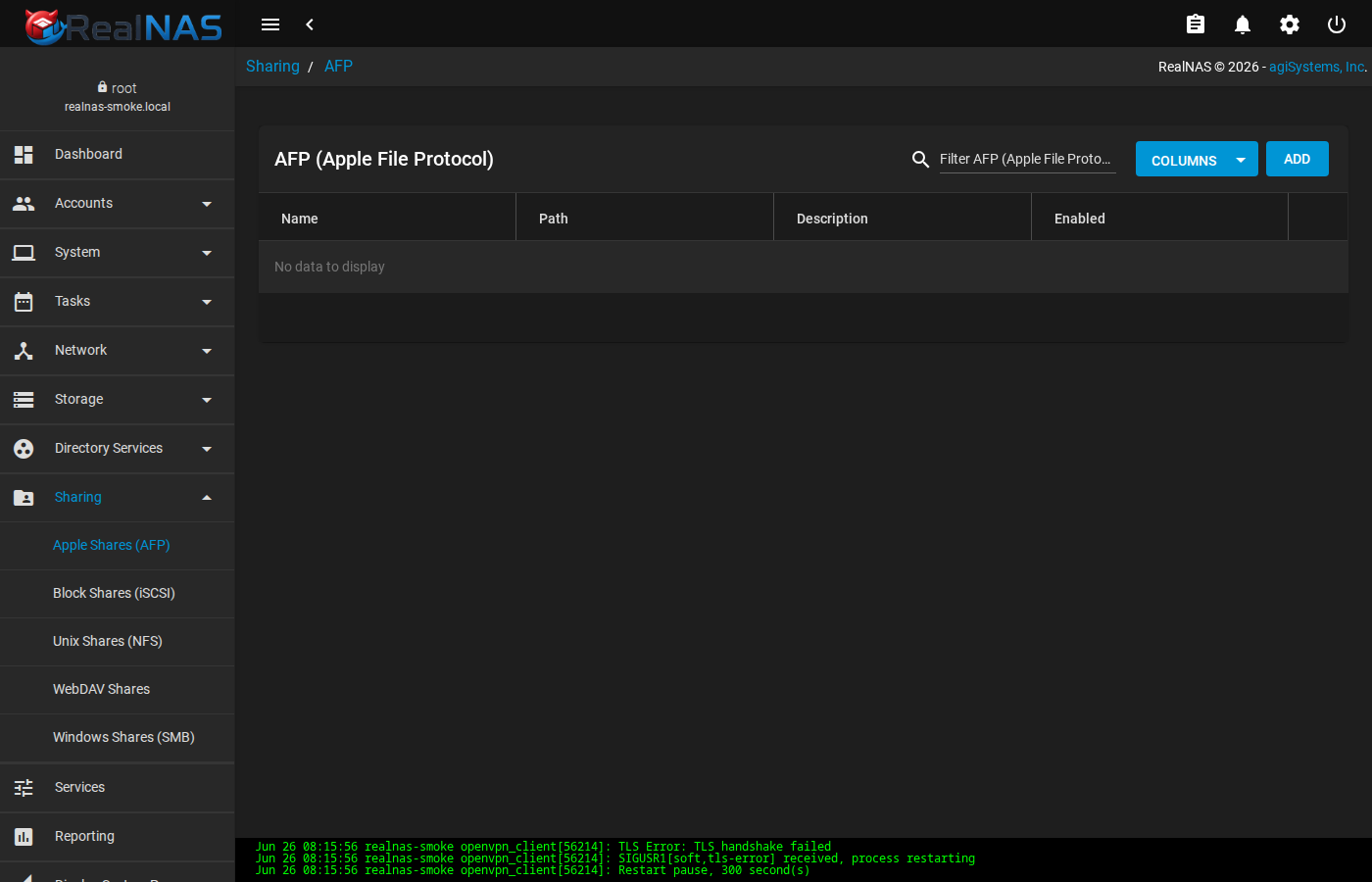
AFP requires the netatalk package; if it is not installed the share row persists in the middleware DB but the daemon will not serve it. Verify with service netatalk status after enabling the share.
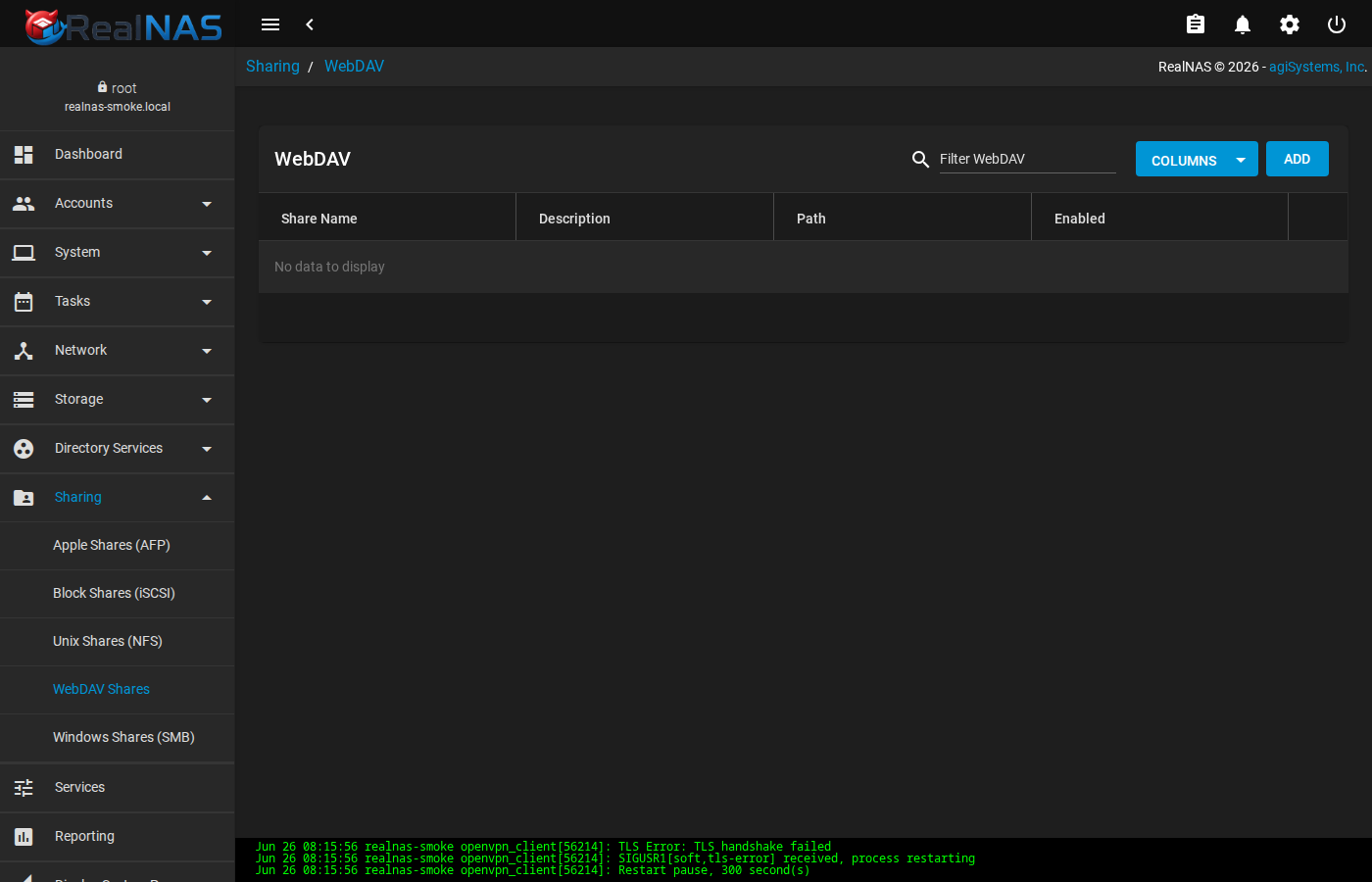
WebDAV runs through Apache's mod_dav. The auth method (Basic, Digest, or None) is set on the WebDAV service edit page, not on the per-share form. Treat Basic and None as plaintext; use Digest, or front WebDAV with TLS termination.
17. iSCSI Block Storage
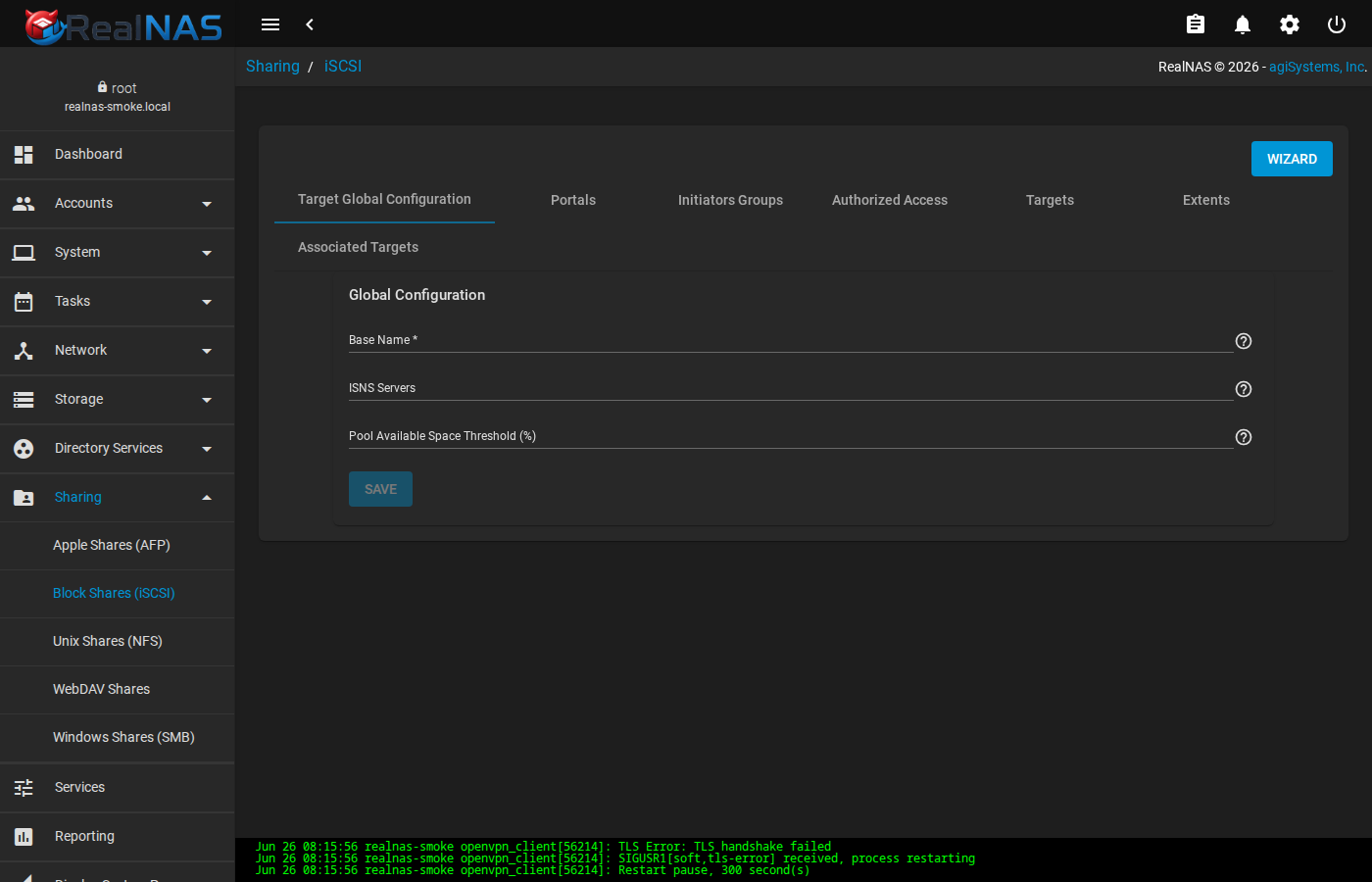
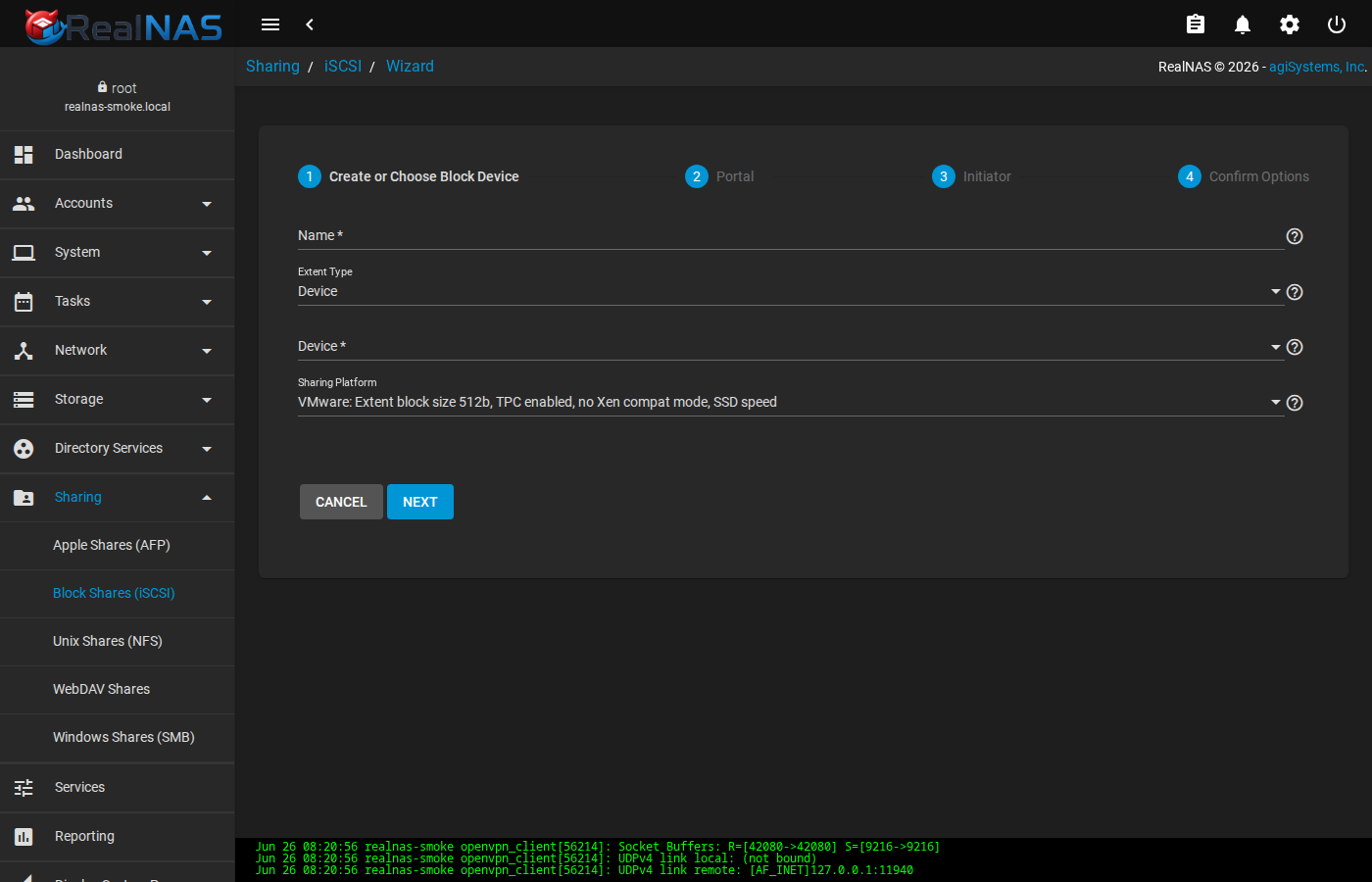
iSCSI exposes block devices (zvols or files) over TCP to initiators. The iSCSI page at Sharing → Block (iSCSI) uses tabs to manage the seven entity types: Target Global Configuration, Portals, Initiators Groups, Authorized Networks, Targets, Extents, and Associated Targets. The first-time setup uses the Wizard to walk all seven in order.
Portals
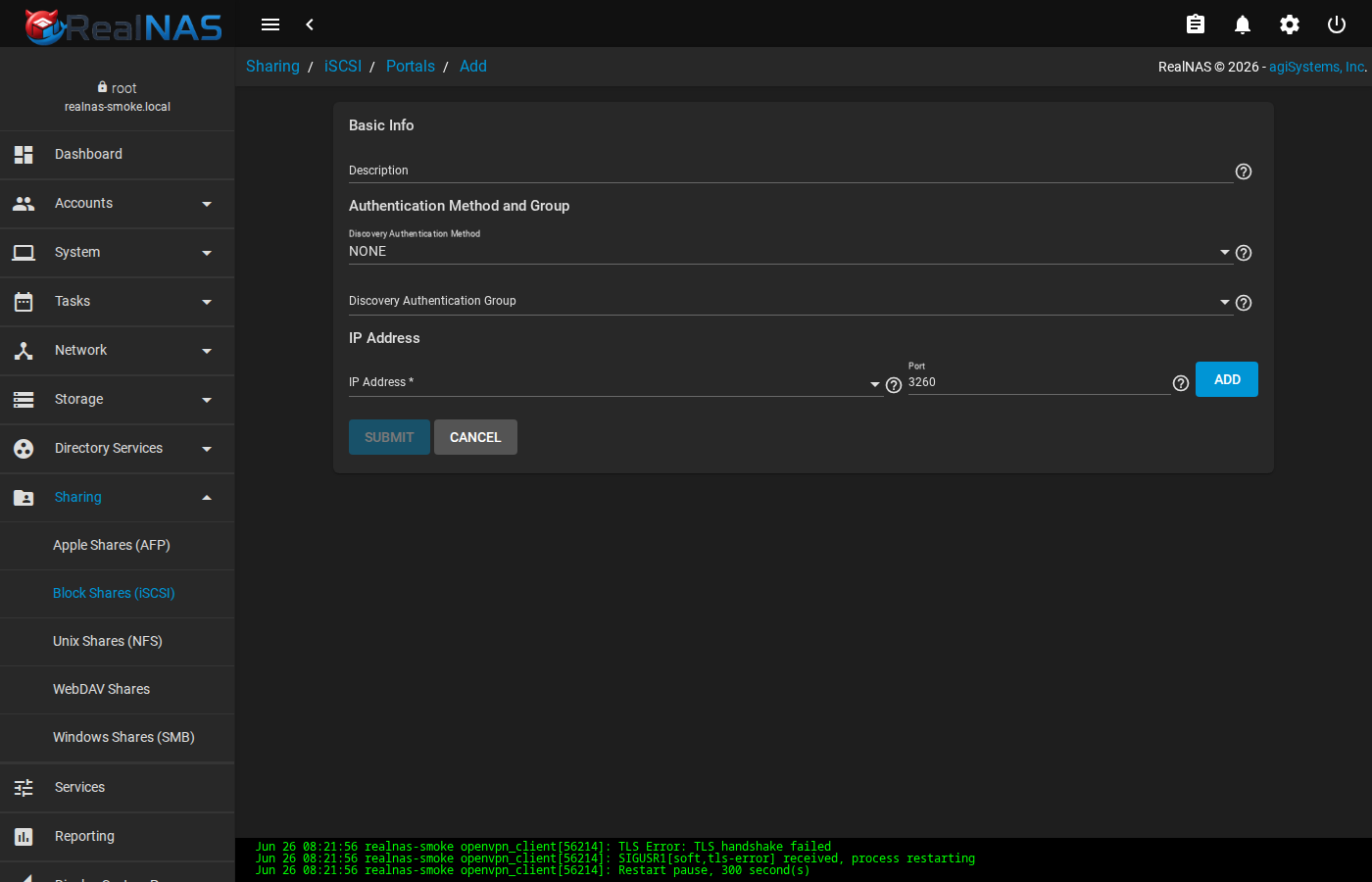
A portal is an IP:port the iSCSI daemon listens on. Most installs use 0.0.0.0:3260. Add a portal first; targets reference portals by ID.
Extents
An extent is the backing storage for one LUN. Two extent types: FILE (a regular file on a dataset, sparse-allocated) and DISK (a zvol). Disk extents have lower overhead; file extents are easier to back up via snapshots.
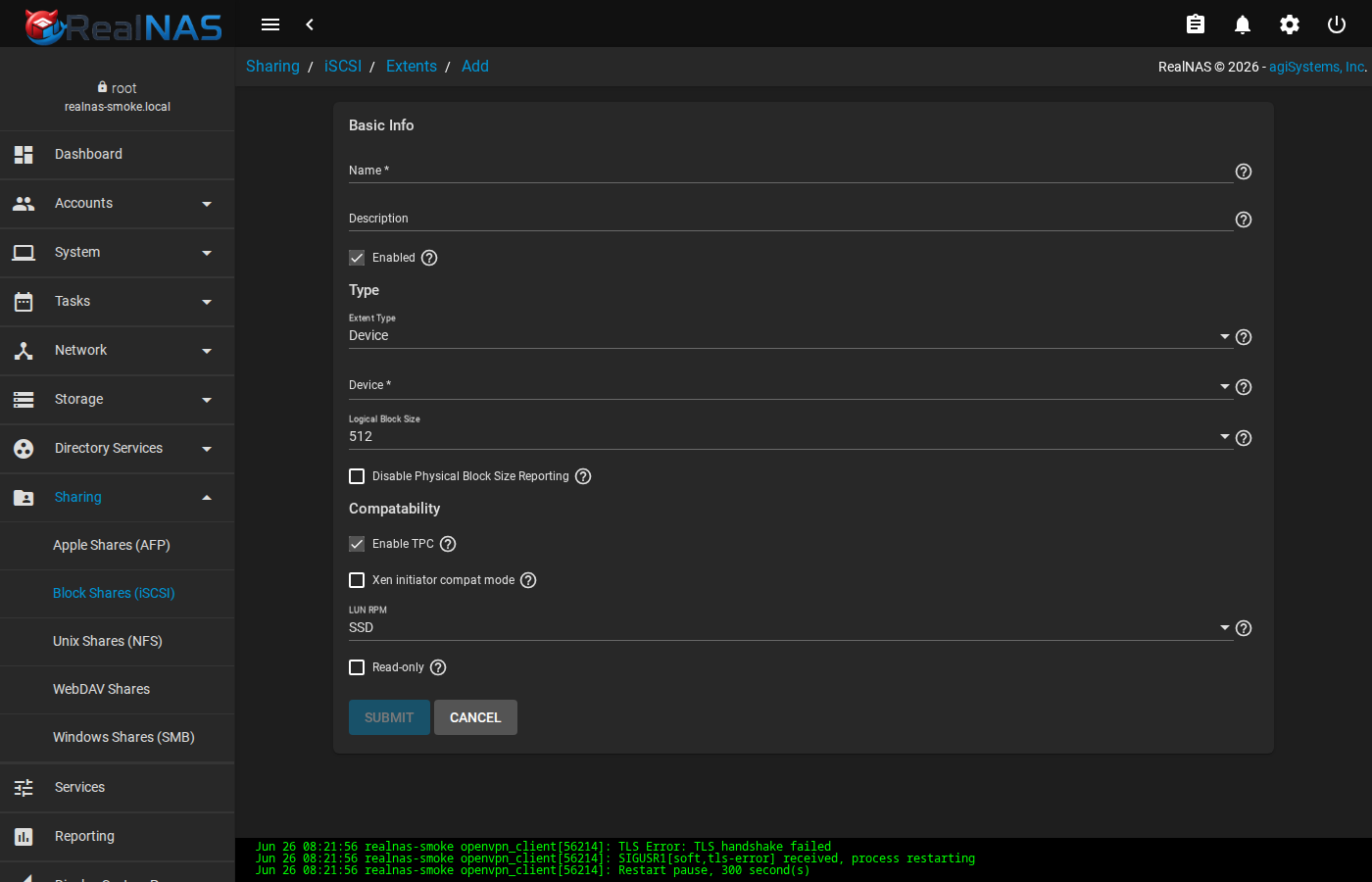
/mnt/tank/iscsi-store) for the extent to survive middleware regeneration.Targets, Authorized Networks, Associated Targets
A target is the addressable iSCSI endpoint a client connects to. After creating a target, link it to one or more extents via Associated Targets; each association assigns a LUN ID. Restrict who can connect by attaching Authorized Networks (CIDR ranges) and optionally Auth Groups (CHAP credentials).
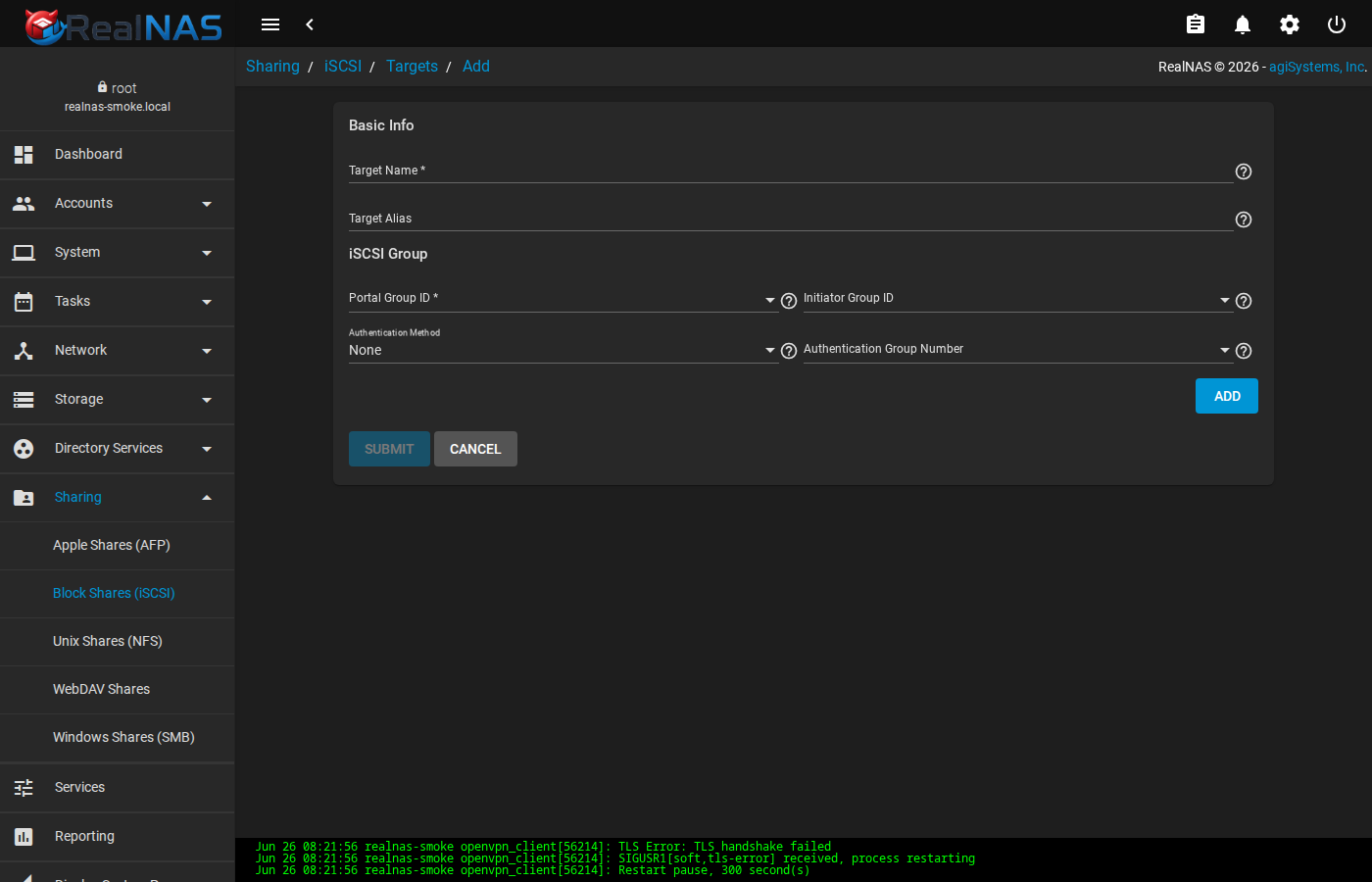
Verify the running configuration after changes with ctladm devlist and ctladm portlist on the FreeBSD shell.
18. Directory Services
Directory Services connects RealNAS to a network identity source. The four supported backends are Active Directory, LDAP, Kerberos (used by both AD and standalone), and IDmap (controls how AD/LDAP identities map to UNIX UIDs). Each lives under Directory Services in the sidebar.
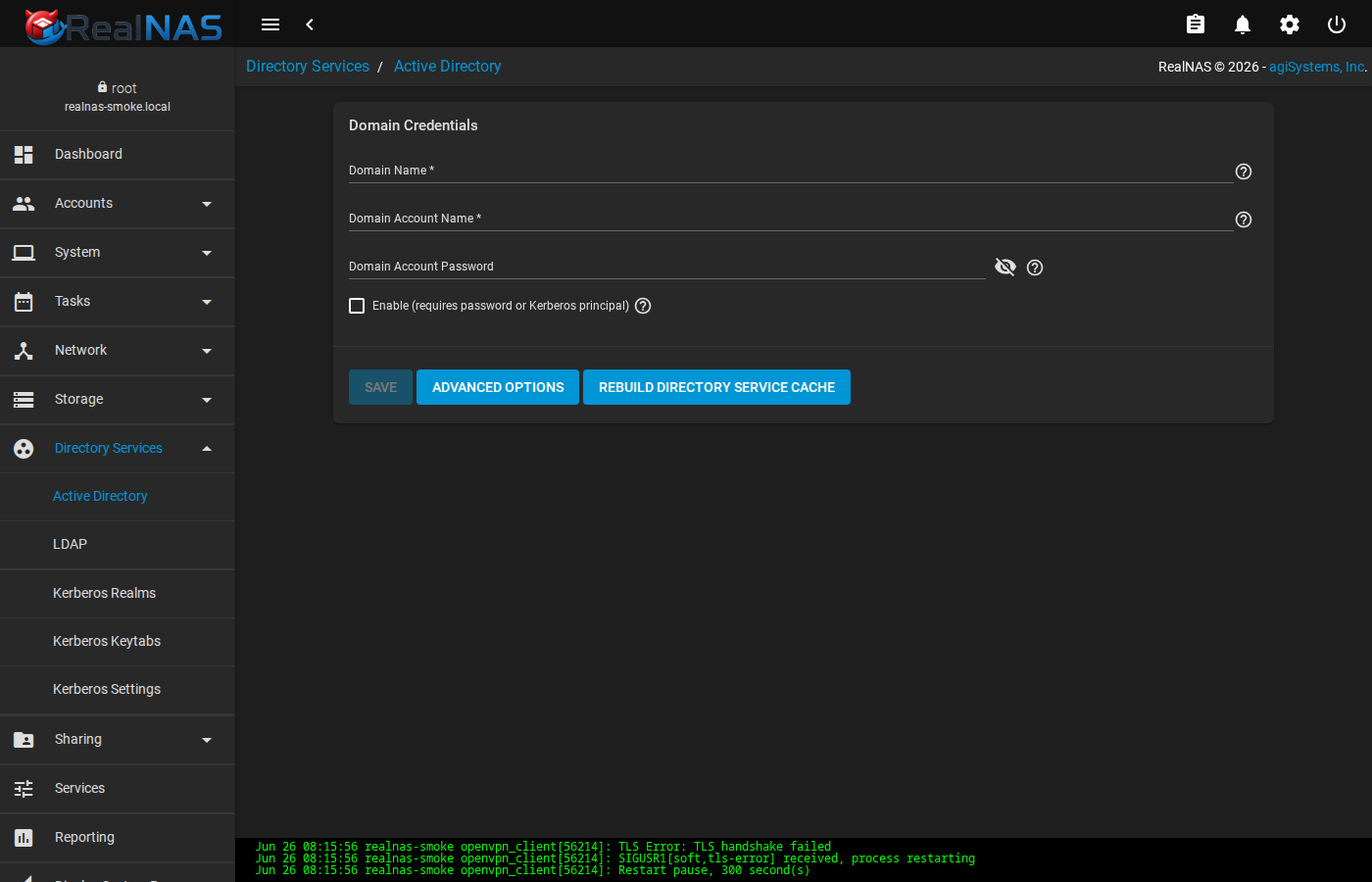
Join order matters. For Active Directory: configure Kerberos Realm first (so AD's KDC is reachable), upload a Kerberos keytab if you have one, then enable AD with the domain name and bind credentials. RealNAS performs the actual net ads join and registers the host.
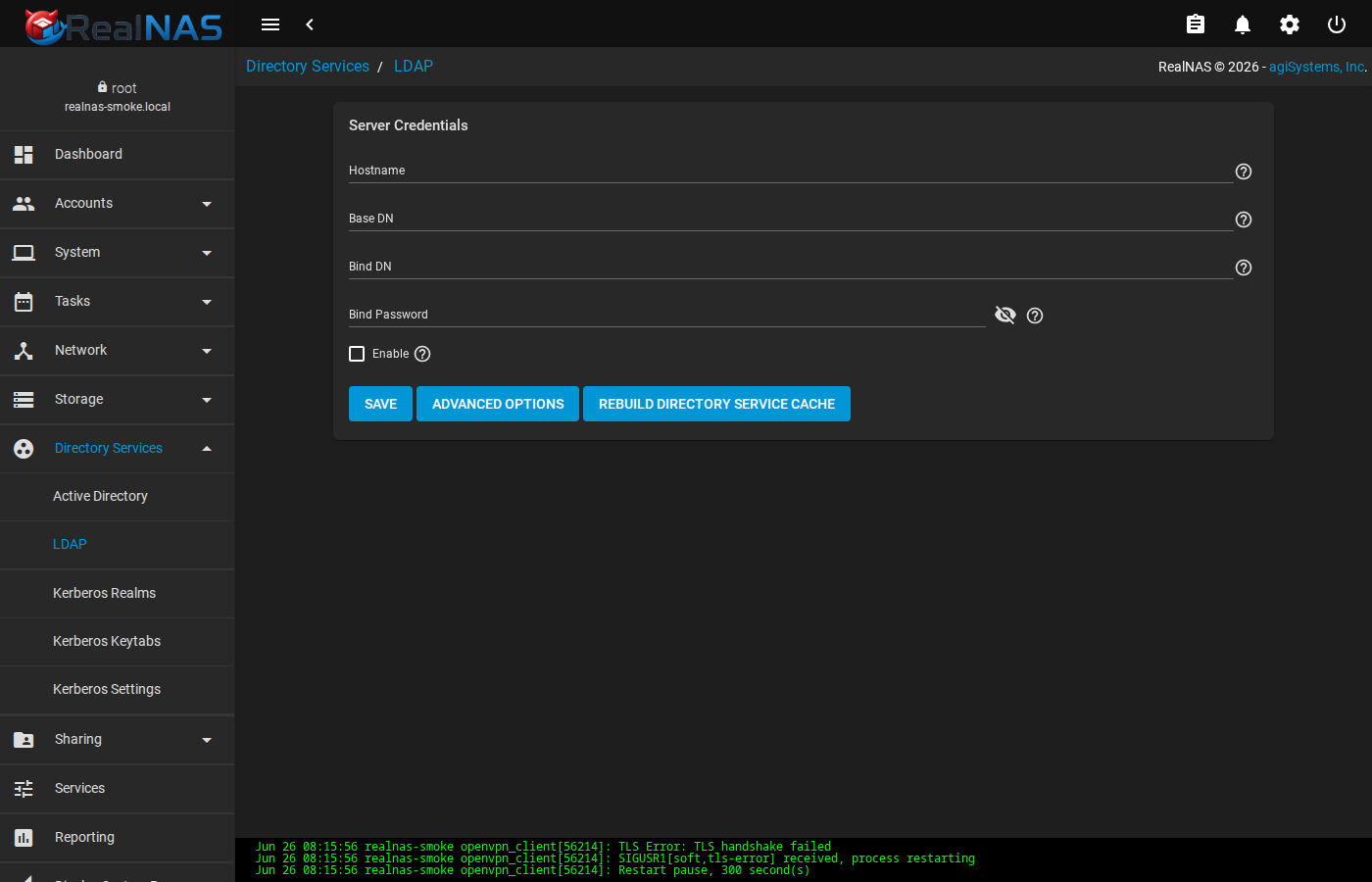
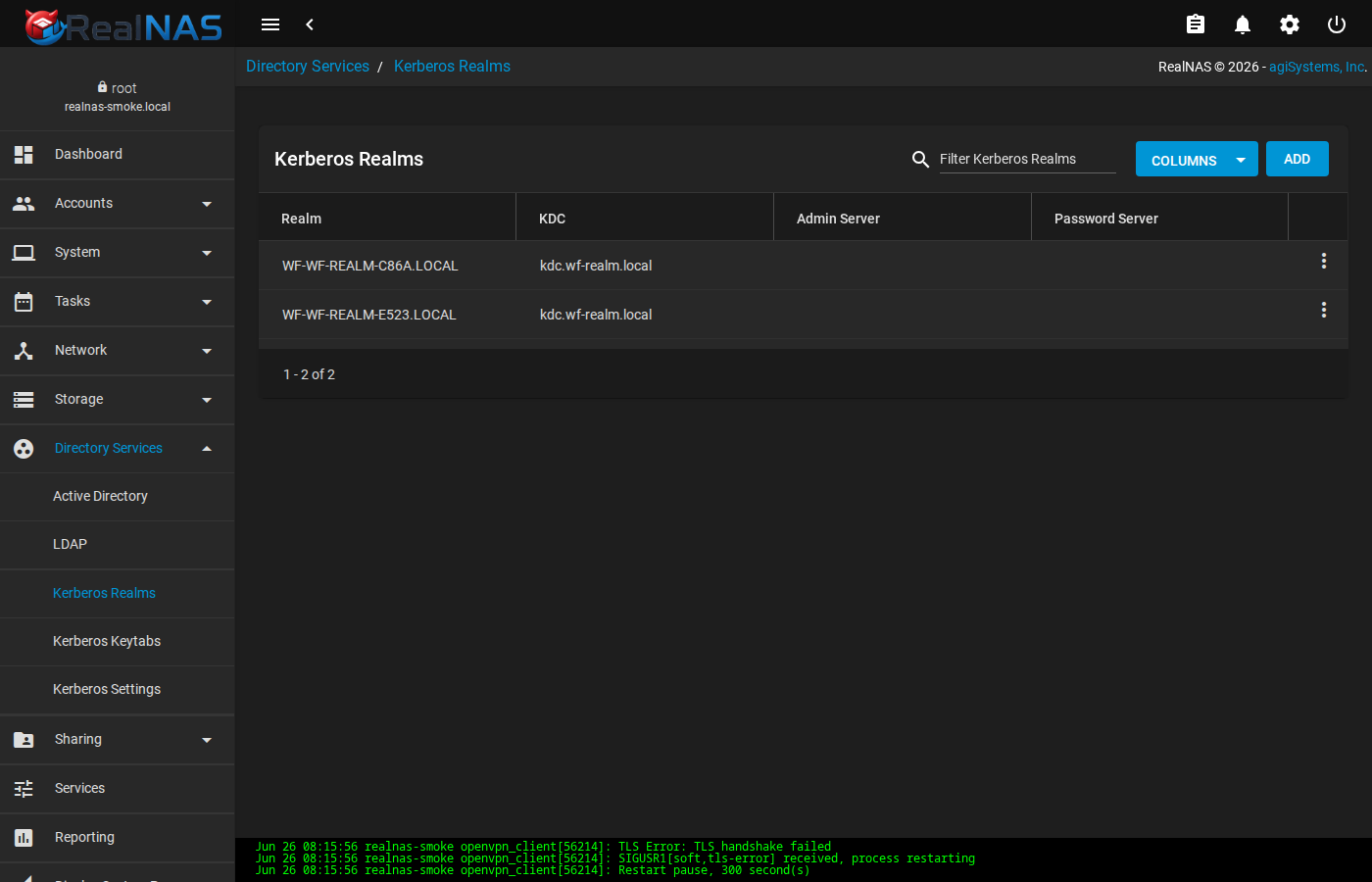
/etc/krb5.conf from this list.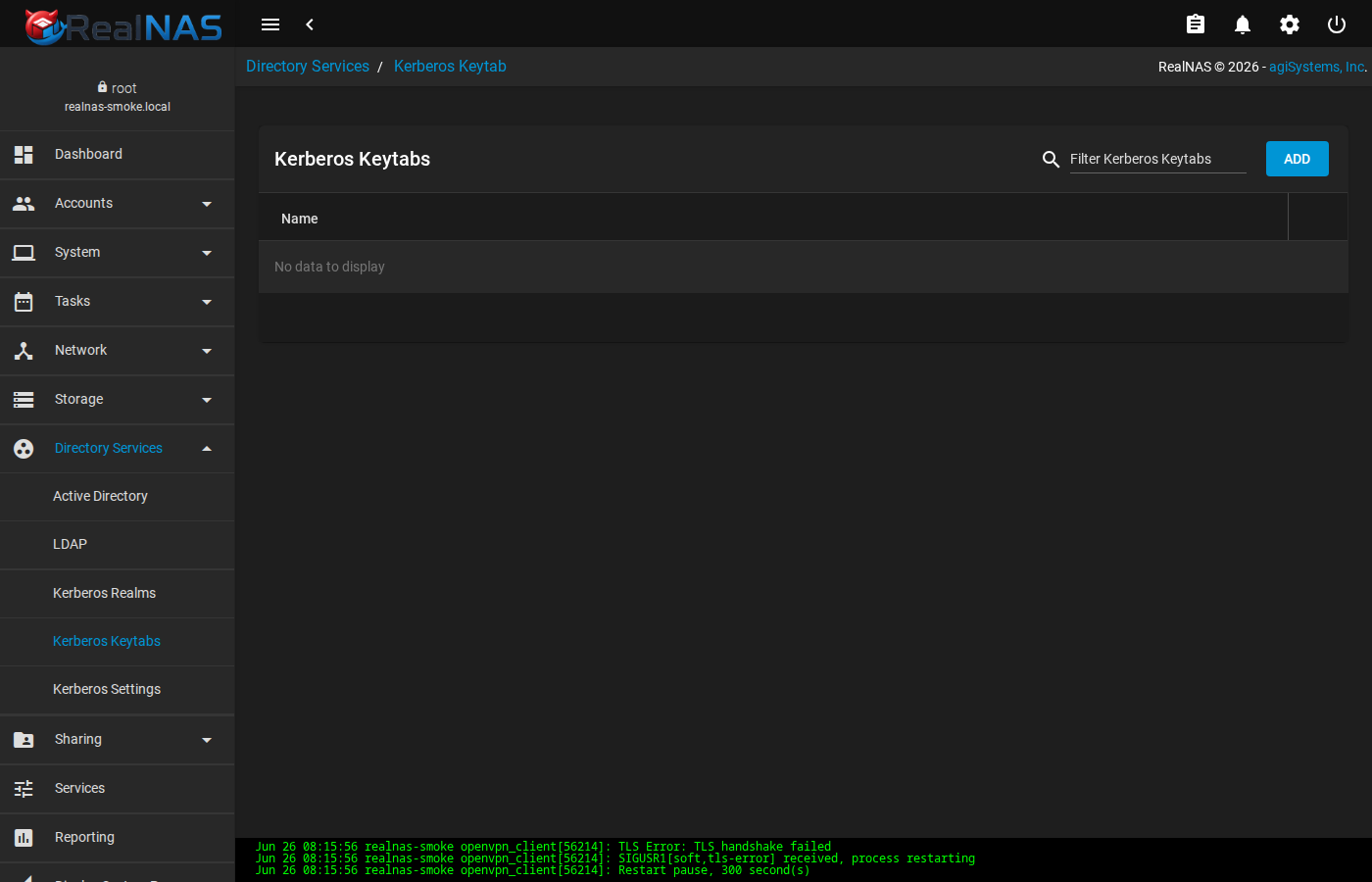
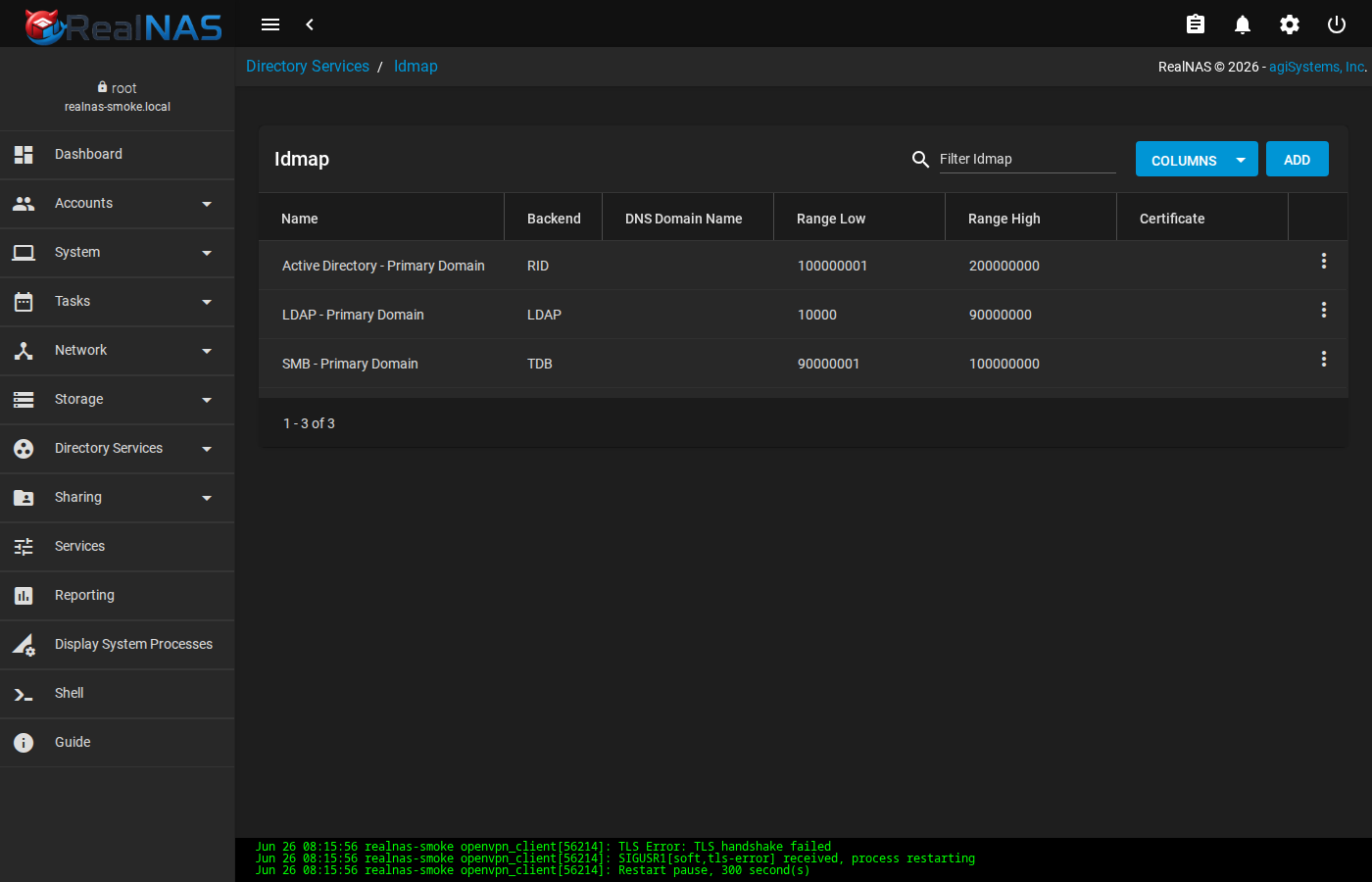
Test connectivity from the shell after enabling: wbinfo -t for Windows trust, kinit user@REALM for Kerberos, getent passwd for resolution.
19. System Configuration
System-wide preferences live under System in the sidebar. The most-used pages:
- General
- Hostname, timezone, locale, console keymap, crash reporting opt-in.
- Advanced
- Console message log mirroring, serial console, swap behavior, system dataset pool target, banner text.
- Outgoing mail server, from address, auth method. Used by Alert Services when sending mail and by manual
email.sendAPI calls. - NTP Servers
- Time sources used by ntpd. Default RealNAS install seeds an empty list; add at least one pool server (e.g.
0.pool.ntp.org) for accurate timestamps on snapshots and logs. - System Dataset
- Selects which pool holds the runtime
.systemtree (configs, samba state, reporting RRD files, syslog). Moving the system dataset between pools is supported but requires a brief service restart. - Tunables
- Persistent loader.conf or sysctl overrides. Use sparingly; document any non-default tunable in your operations runbook.
- Cloud Credentials
- Stores credentials for S3, B2, Backblaze, FTP, etc. Used by Cloud Sync Tasks and as inputs to rclone-style operations.
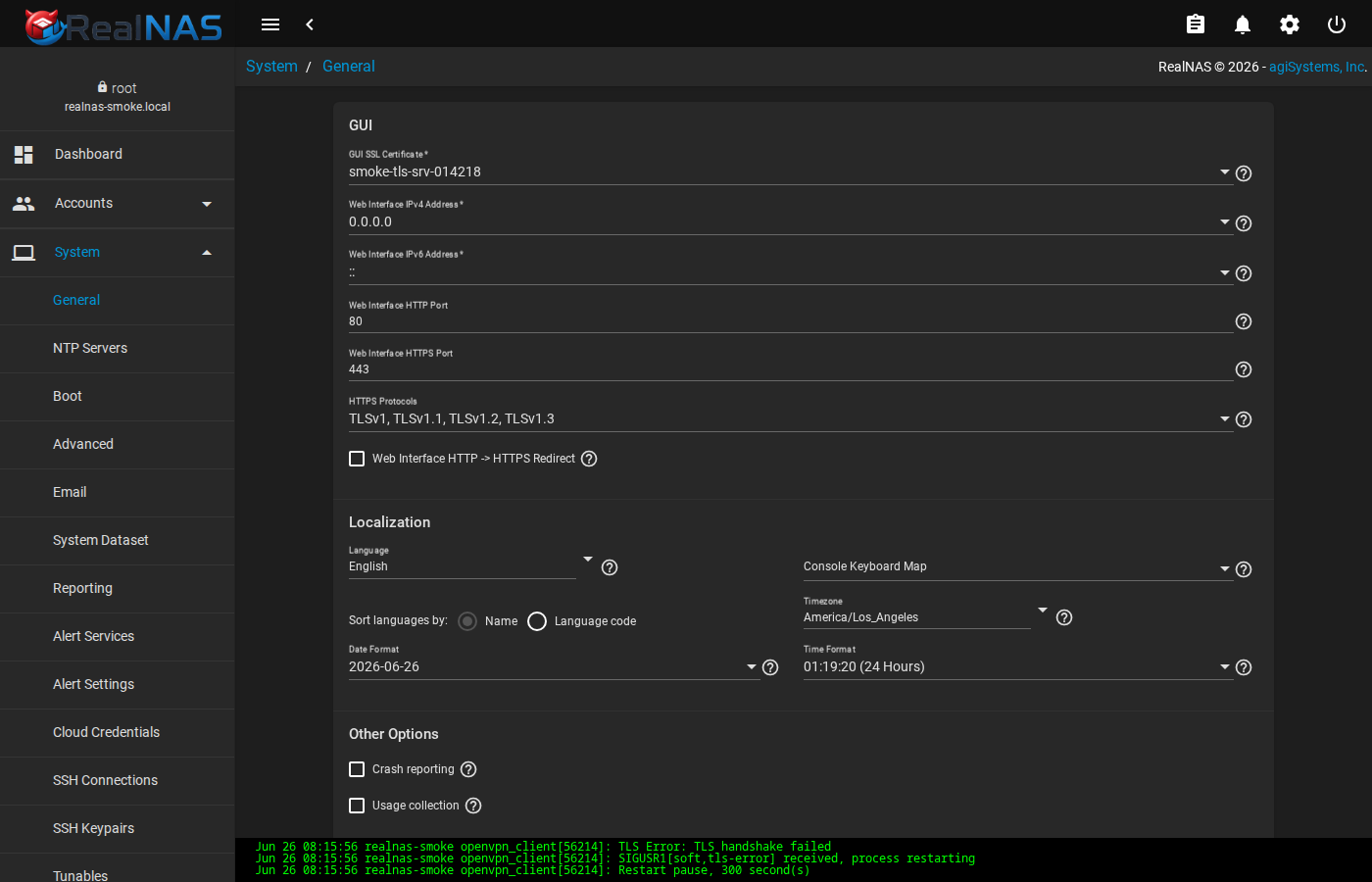
etc.generate('localtime').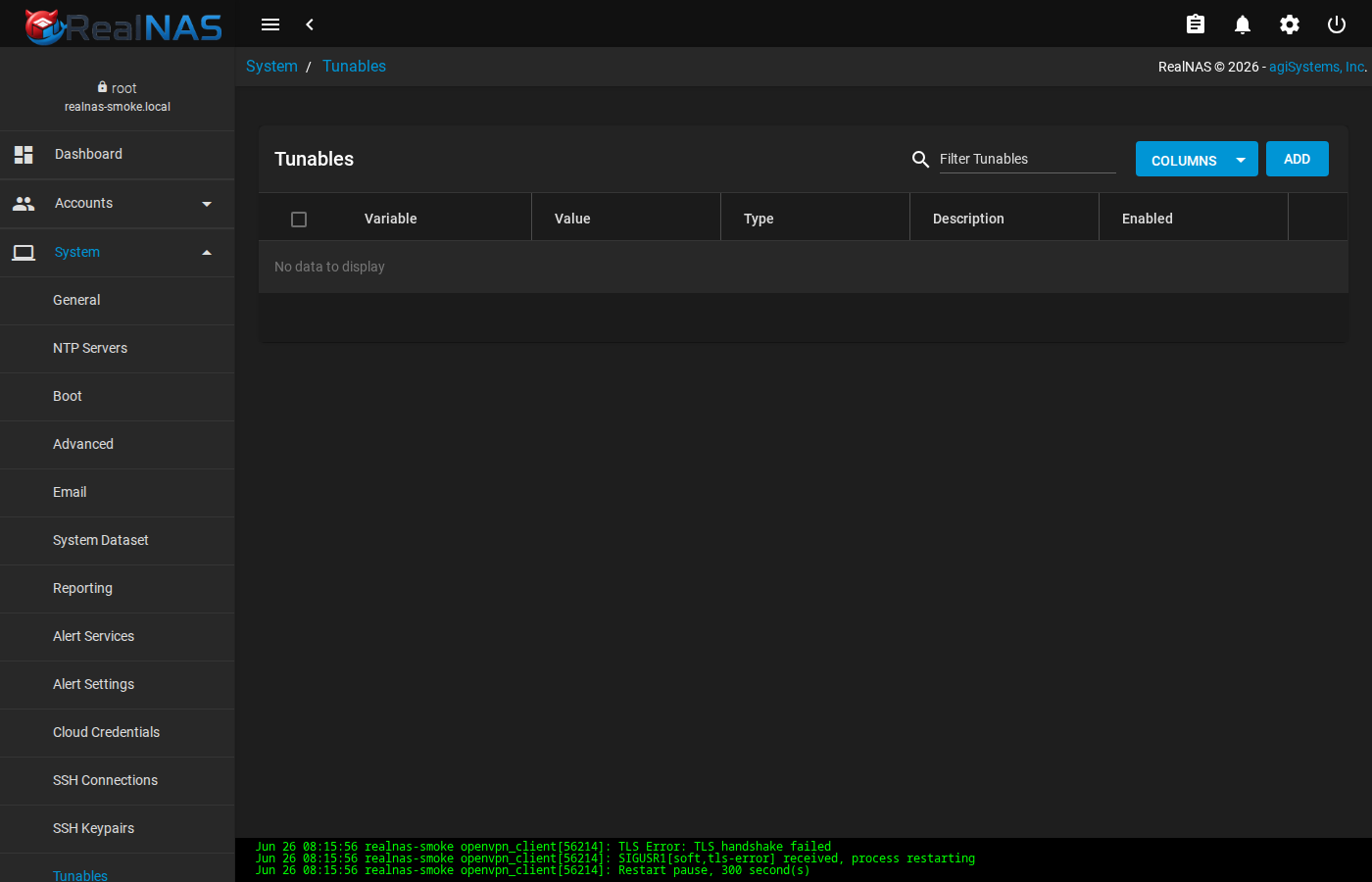
/boot/loader.conf.local, SYSCTL tunables apply immediately.20. Certificates, CAs, and ACME DNS
RealNAS ships an in-tree certificate authority and a certificate store under System → CAs and System → Certificates. ACME DNS authenticators (for Let's Encrypt and similar) live under System → ACME DNS.
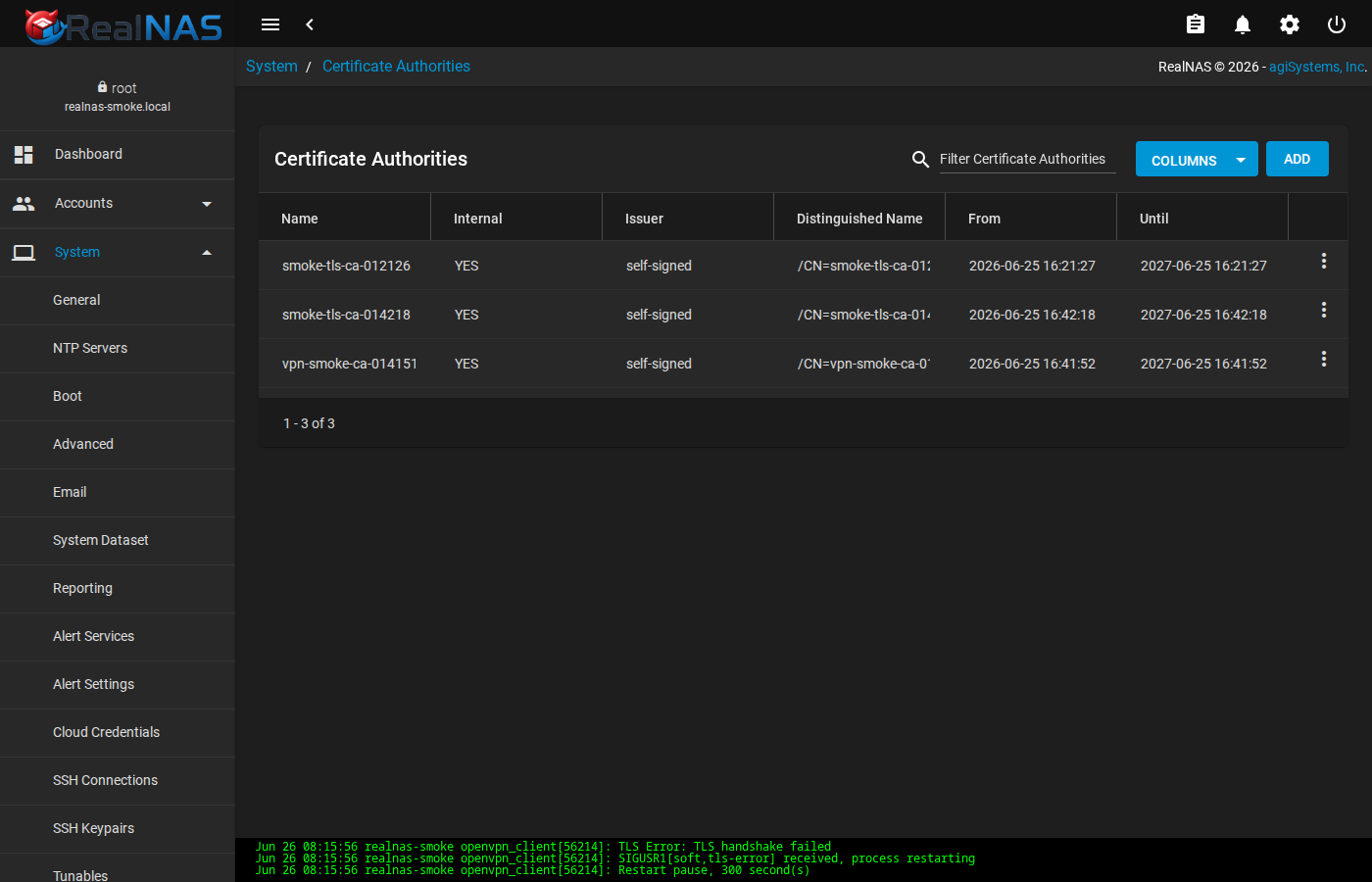
Two CA creation paths: Internal CA (RealNAS generates the keypair and self-signs the cert) or Imported CA (paste an existing CA cert and key). Internal CAs are the easiest path for issuing internal-only certs (e.g. for the WebUI itself).
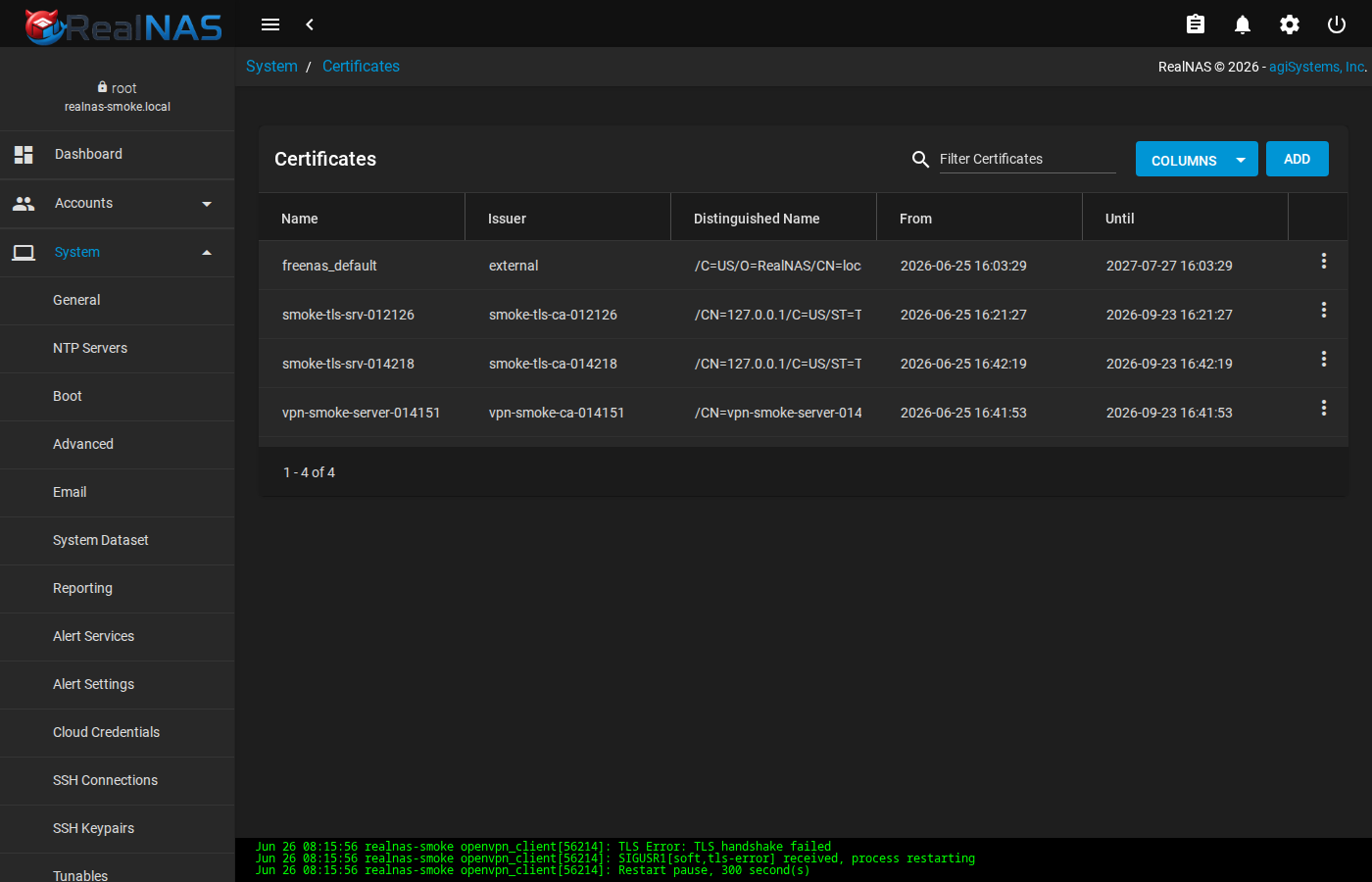
ACME DNS authenticators (route53, cloudflare, etc.) hold the credentials ACME uses to satisfy DNS-01 challenges. After creating an authenticator, request a certificate from Certificates → ADD → ACME; the issued cert lands in /etc/certificates as a PEM.
21. Boot Environments
A boot environment is a snapshot of the FreeBSD root filesystem (managed via bectl). RealNAS surfaces BE management at System → Boot. The list shows every BE with its status (active now, active on next reboot, or just present), creation time, and size.
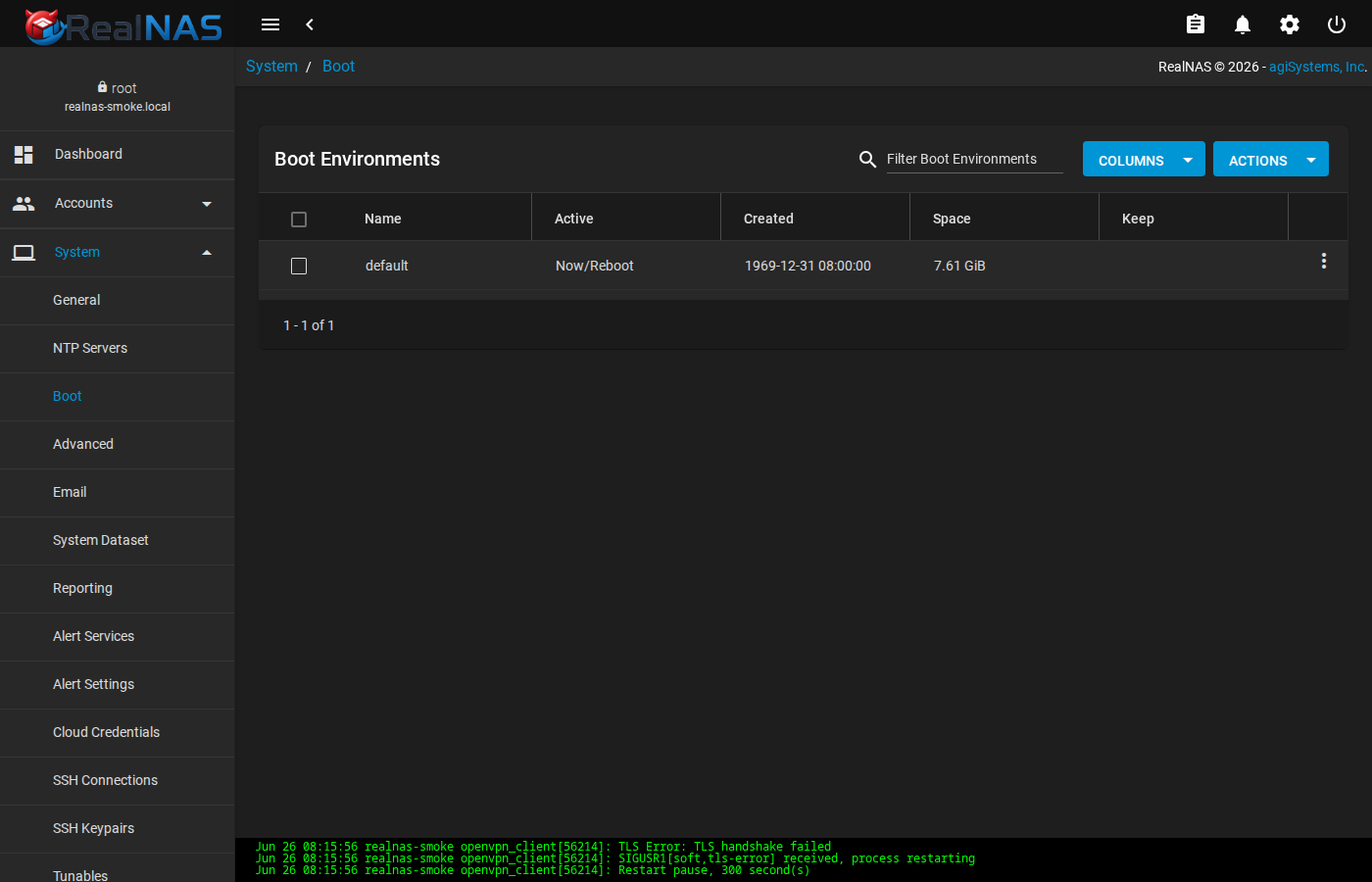
The update transaction (Section 12) creates a fresh BE on every successful upgrade and activates it. Manual BE creation is rarely necessary; the most common use of this page is to mark an older BE as Keep so the auto-prune leaves it alone, or to activate a previous BE before reboot if a new one misbehaves.
22. API Keys and UI Preferences
Programmatic access to the middleware API uses API keys created at API Keys (linked from the topbar settings menu). Each key is a long random string presented once at creation; the WebUI never displays it again, so capture it into a password manager immediately.
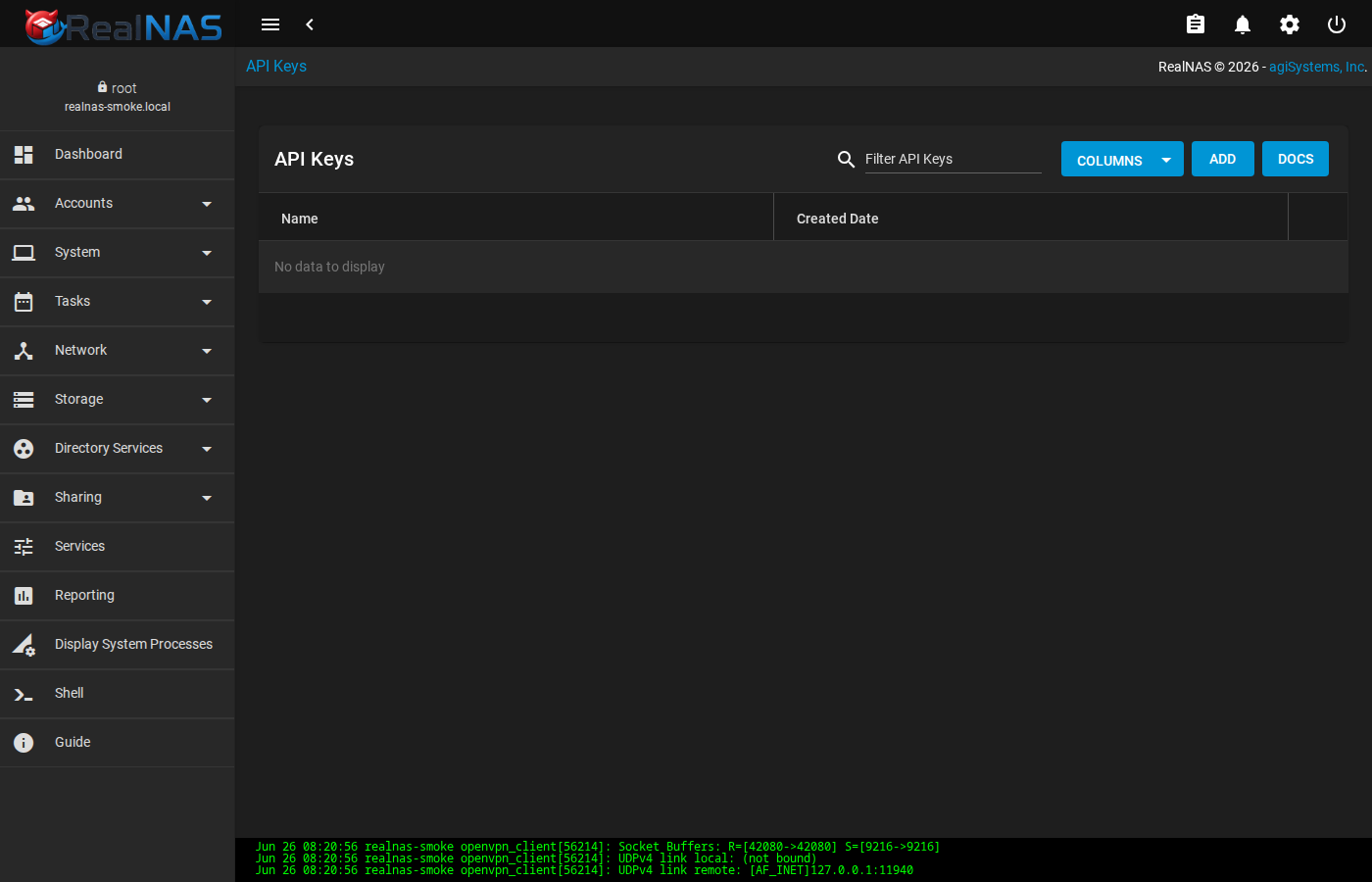
An API key grants the same authority as the user who created it. Treat keys as full-administrator credentials; revoke immediately when a key holder no longer needs access.
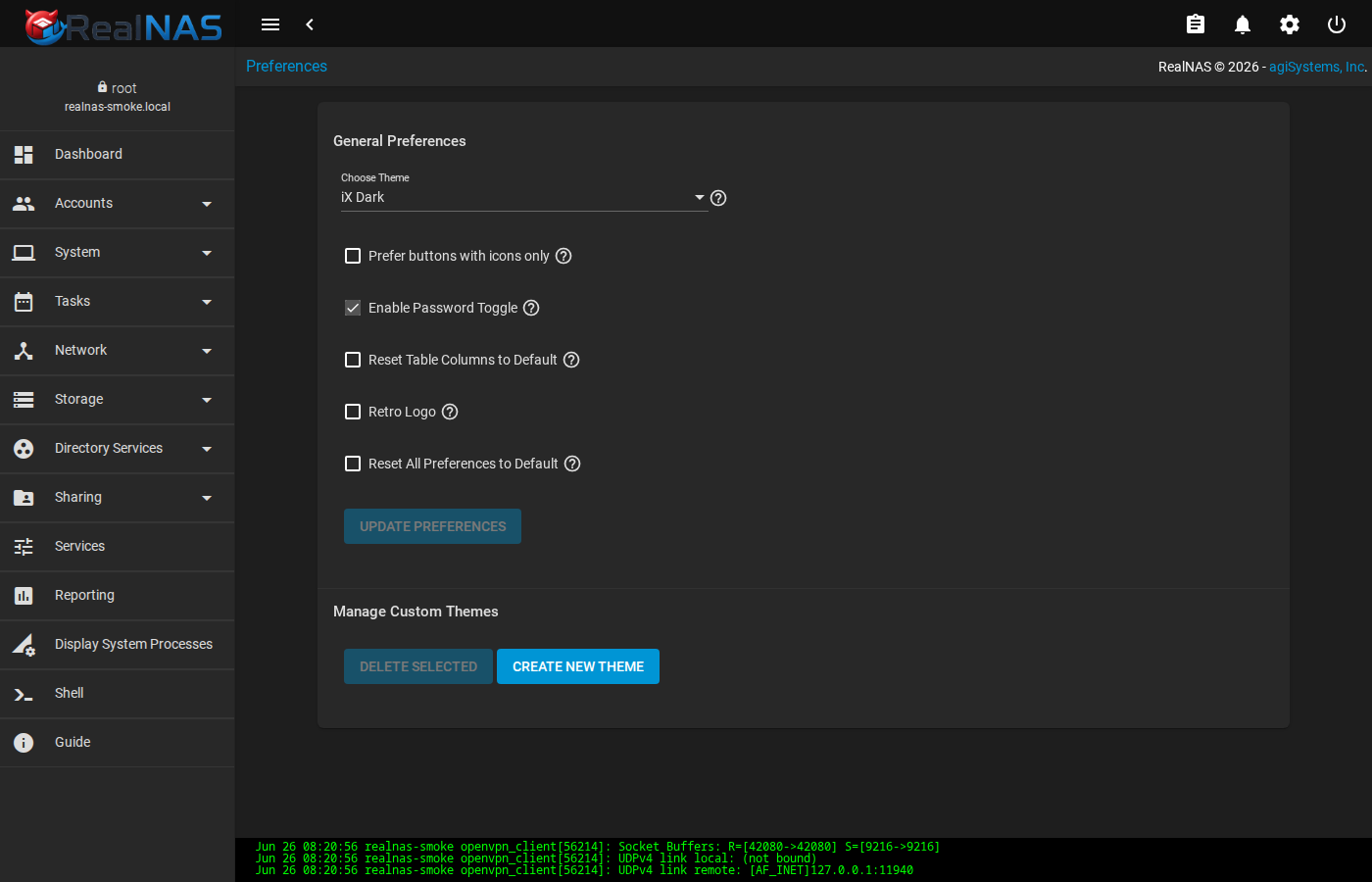
UI Preferences (also linked from the topbar settings menu) sets per-browser preferences such as theme, date format, time format, table rows-per-page, and language. Choose Create Theme to build a custom color theme.
23. Services Catalog
Services in the sidebar lists every daemon RealNAS knows about: AFP, Dynamic DNS, FTP, iSCSI, LLDP, NFS, OpenVPN client, OpenVPN server, Rsync, S.M.A.R.T., SMB, SNMP, SSH, TFTP, UPS, WebDAV. Each row shows current state (RUNNING/STOPPED), whether it is enabled to auto-start on boot, and a row menu with start, stop, restart, and configure actions.
Per-service configuration lives at /services/<name>. Most pages expose a small set of safe knobs (port, log level, banner, auxiliary parameters). The catalog handles persistence (DB row + etc.generate + service reload) so a Save normally takes effect within a few seconds.
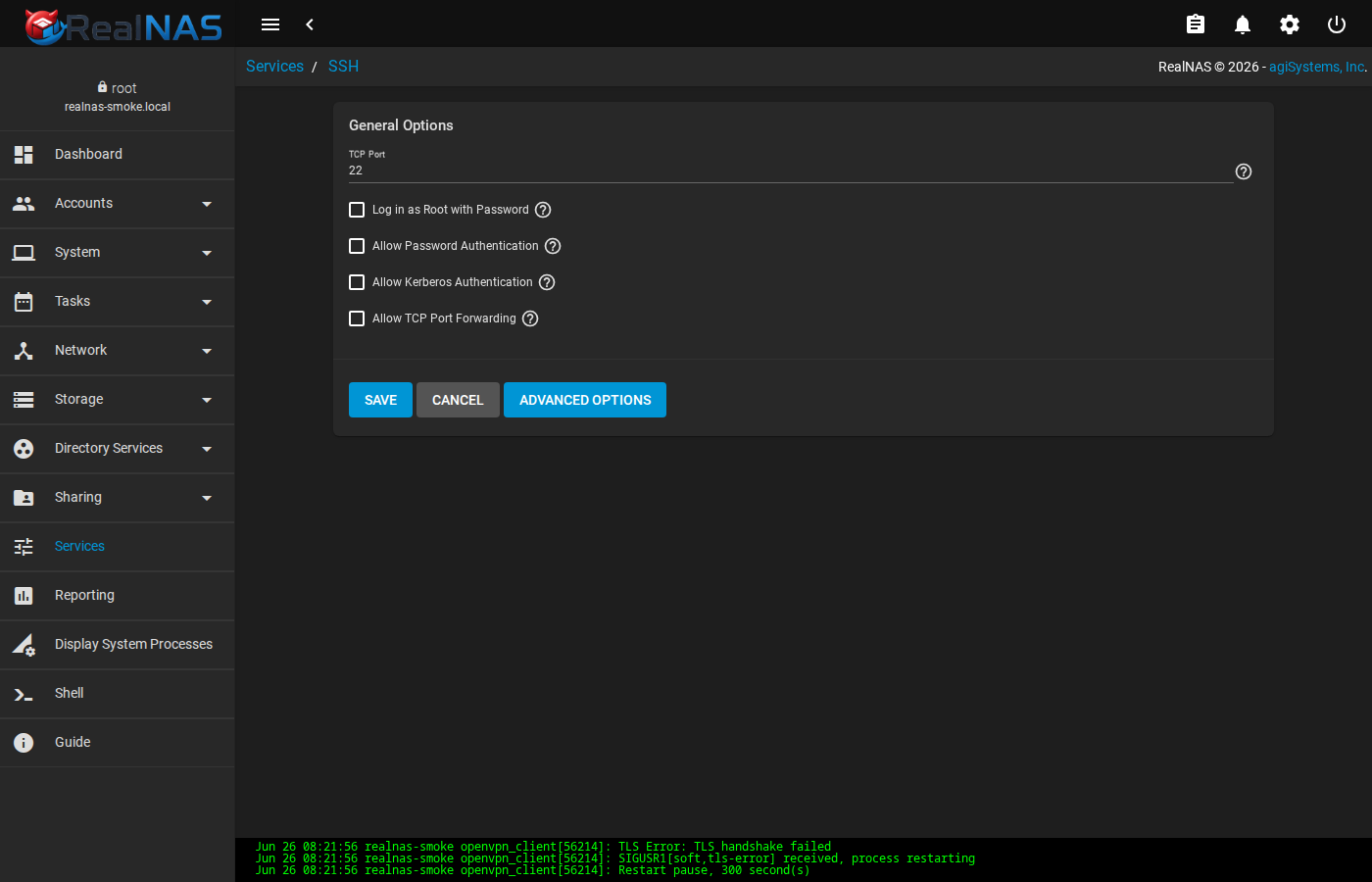
/usr/local/etc/ssh/sshd_config; use sparingly and test the result with sshd -t.Several services have caveats. SMB's config form covers global Samba options only; per-share settings live under Sharing → SMB. NFS handles UDP/TCP toggles and bindip restrictions. FTP exposes the proftpd config knobs that survive middleware regeneration.
24. Destructive Operations Safety
Three WebUI routes auto-fire destructive middleware calls in their ngOnInit handler with no confirmation dialog: /others/reboot (triggers system.reboot), /others/shutdown (triggers system.shutdown), and /others/config-reset (triggers config.reset({reboot: true})). Do not navigate to these routes directly from a browser tab or from a bookmark. They are the destination the topbar power menu navigates to after a confirm dialog. Loading them directly skips the dialog and fires the action immediately.
The safe path is the topbar power menu (see Section 3, Topbar: Alerts, Jobs, Settings, Power). The Restart, Shut Down, and Log Out items open a confirmation dialog; only on Confirm + Continue does the WebUI navigate to the destructive route.
Config Reset (full factory reset) is reached from the topbar settings menu, again only behind a checkbox-gated confirm dialog. Config Reset destroys every middleware configuration row (users, shares, network, services, tasks). It does not destroy ZFS data, but the only way to access that data after a reset is by re-creating the importing user accounts and shares.
For engineers writing automation against the WebUI: assume that any link you generate to /others/* will fire its action if a human clicks it. Build dialogs and confirm pages between any link and that route.
25. Console Reference
- Middleware
realnas-bootstrap,service realnasd status,midclt call system.info,/var/log/realnas/middlewared.log.- WebUI
service realnas_webui status,curl -k https://127.0.0.1:4200/api/docs/,/var/log/realnas/webui.log.- ZFS
zpool status,zpool import,zfs list,zfs get,zfs snapshot,zfs send,zfs receive.- Sharing
testparm,net groupmap,net conf list,showmount -e,service samba_server status,service nfsd status,ctladm devlist.- Users
pw usershow -a,pw groupshow -a,passwd,midclt call user.sync_builtin.- Directory Services
kinit user@REALM,klist,wbinfo -t,getent passwd,/etc/krb5.conf.- Updates
bectl list,bectl create,bectl activate,freebsd-update,pkg update,pkg upgrade.- Health
smartctl,zpool status -v,midclt call alert.list,/var/log/messages.